
by Abhishek Kumar | FirstCrazyDeveloper
1. Introduction
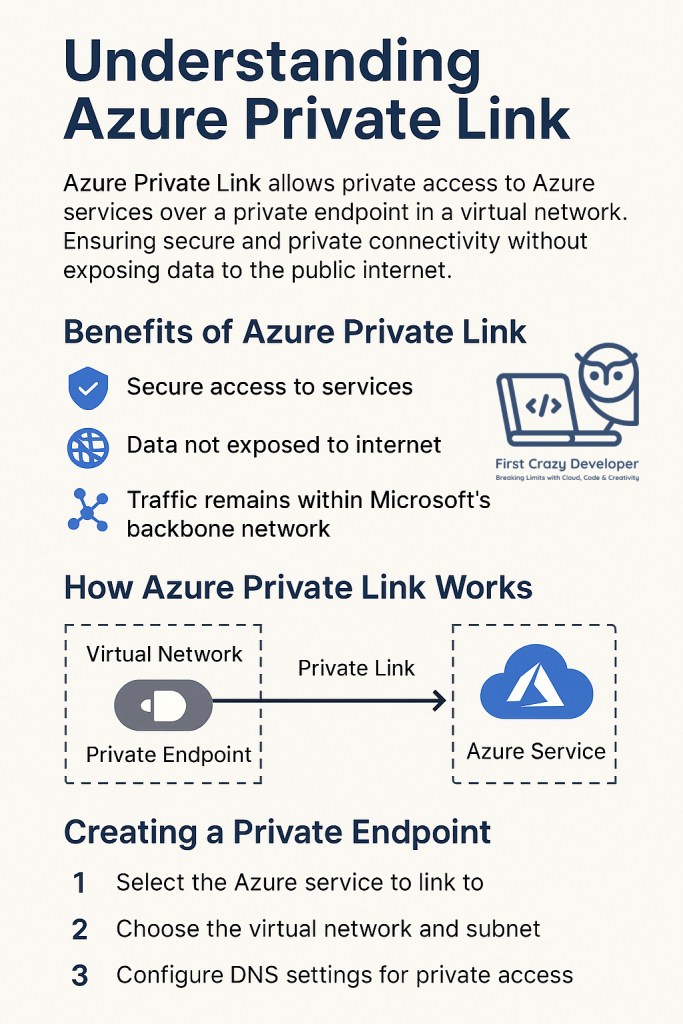
Imagine you have a VIP tunnel that lets you talk to your favorite Azure service without stepping into the crowded public internet. That’s Azure Private Link — a secure and private path between your virtual network and Azure services.
With Private Link, your data travels entirely inside Microsoft’s secure backbone network — never touching the public internet.
2. Why Use Azure Private Link?
- Security First – Your traffic is isolated from the public internet, reducing the attack surface.
- Compliance Ready – Helps meet industry compliance standards by keeping traffic private.
- Simplified Network Architecture – No need for complex firewall rules or NAT configurations.
- Consistent Performance – Since it’s private, you avoid the variability of public internet routes.
3. How Azure Private Link Works
- Private Endpoint – A private IP address from your Virtual Network that connects to Azure resources.
- Private Link – The secure connection path between the private endpoint and the Azure service.
- Azure Service – The target service like Azure Storage, SQL Database, or even partner services.
Example:
If you use Azure Storage with Private Link:
- Your app in your virtual network connects to a private IP.
- The traffic never leaves Microsoft’s network.
- Your storage account is not publicly accessible.
4. Step-by-Step: Setting Up Azure Private Link
Step 1 – Choose the Service
Pick the Azure resource you want to connect to (e.g., Azure SQL Database, Storage, Web App).
Step 2 – Create a Private Endpoint
- Go to Azure Portal → Private Endpoint.
- Select the resource and the virtual network.
- Assign a private IP address.
Step 3 – Configure DNS
- Update DNS so the service’s name resolves to the private IP.
- You can use Azure Private DNS Zones for automation.
Step 4 – Test the Connection
- Verify the private IP is used.
- Check there is no public internet route.
5. Benefits Recap
✅ Secure – No exposure to the public internet.
✅ Performance – Uses Microsoft’s high-speed internal network.
✅ Compliance – Meets strict data protection standards.
✅ Simplicity – No need for VPN or IP whitelisting.
6. Real-Life Use Cases
- Finance: Securely accessing sensitive banking databases.
- Healthcare: Private medical record transfers.
- E-commerce: Secure payment gateway integrations.
7. Final Thoughts
Azure Private Link is your private highway inside Azure — safer, faster, and more reliable than traveling through the open web. Whether you are building enterprise-grade apps or handling sensitive customer data, Private Link should be in your cloud architecture toolbox.
#Azure #CloudSecurity #AzurePrivateLink #CyberSecurity #MicrosoftAzure #CloudComputing #Networking #CloudSecurityBestPractices #FirstCrazyDeveloper #AbhishekKumar
 First Crazy Developer
Leave a comment