
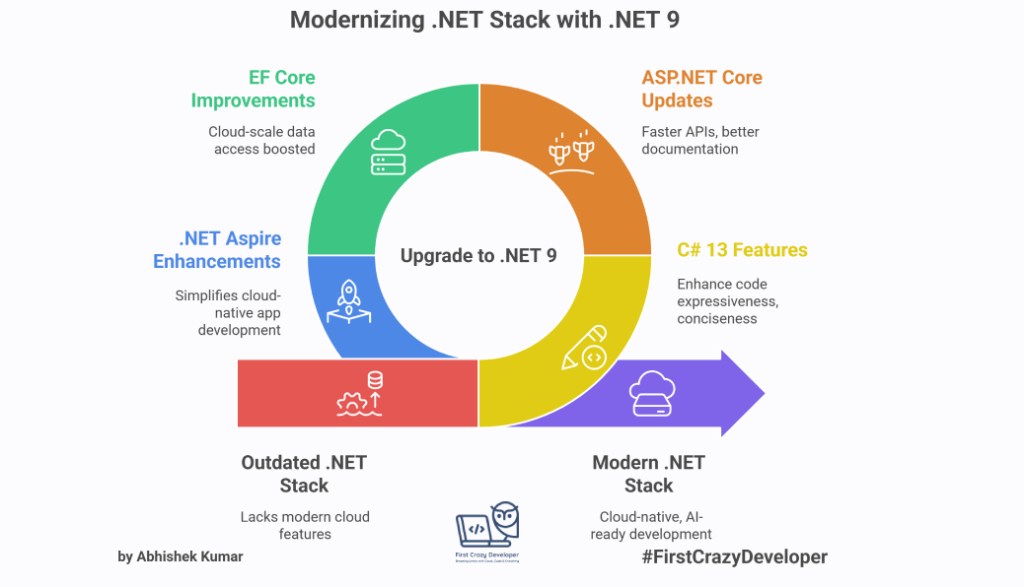
by Abhishek Kumar | #FirstCrazyDeveloper
Microsoft has officially shipped .NET 9, and it’s packed with updates across the ecosystem — from the C# language to ASP.NET Core, EF Core, and the brand-new .NET Aspire stack.
If you’re a developer who loves staying ahead, this release is worth exploring. Let’s break it down piece by piece with real-world context and examples.

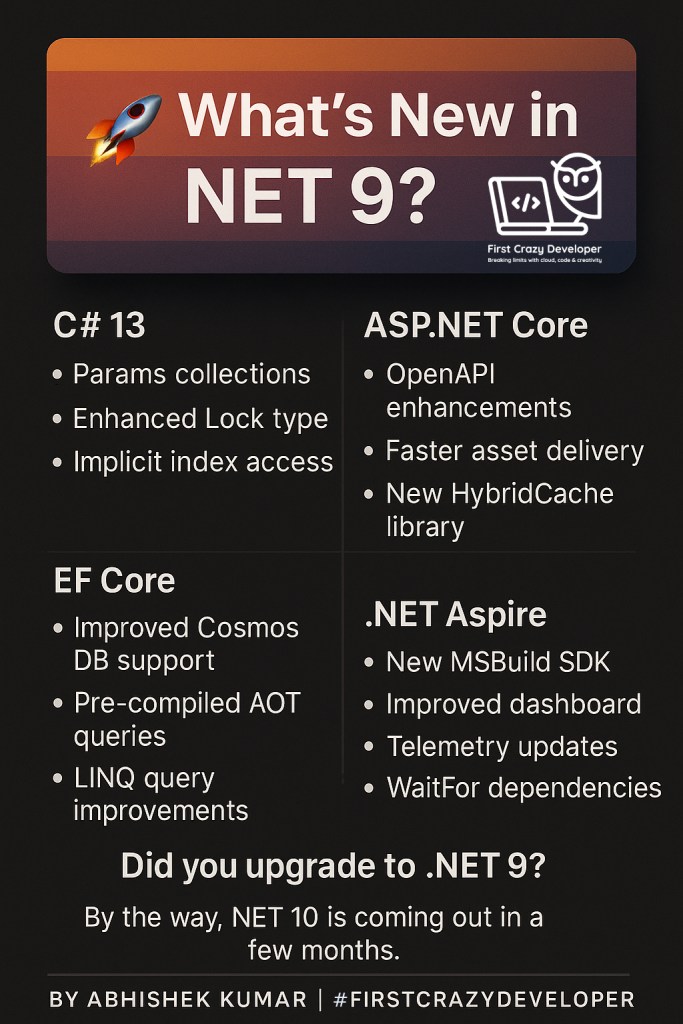
⚡ C# 13 – Smarter and More Expressive
C# 13 brings small but powerful features that make code more expressive and concise.
1. Params Collections
You can now use collections with params, making method calls cleaner when dealing with lists.
Before:
void PrintNumbers(params int[] numbers)
{
    foreach (var n in numbers) Console.WriteLine(n);
}

PrintNumbers(1, 2, 3);
Now in C# 13:
void PrintNumbers(params List<int> numbers)
{
    foreach (var n in numbers) Console.WriteLine(n);
}

PrintNumbers([1, 2, 3, 4, 5]); // direct collection literal
No more boilerplate conversions — collections feel natural.
2. Enhanced Lock Type
Multi-threading can be complex, but the new lock enhancements in C# 13 improve clarity and performance.
lock (myLock)
{
    // safer and faster locking in concurrent code
    DoWork();
}
With improved runtime support, lock contention scenarios are easier to manage in high-performance applications.
3. Implicit Index Access
C# 13 introduces implicit index access, allowing developers to access indexes without explicitly using the ^ operator for ranges.
var arr = new[] { 10, 20, 30, 40 };
Console.WriteLine(arr[^1]); // last element
Console.WriteLine(arr[^2]); // second last
Less syntax noise, more readable code.
🌐 ASP.NET Core – Faster, Smarter, Leaner
ASP.NET Core in .NET 9 focuses on performance and developer experience.
- OpenAPI Enhancements → Auto-generated Swagger/OpenAPI documentation is now more complete and customizable, making API documentation more comprehensive and easier to use.
- Faster Asset Delivery →Static file handling has been optimized for Content Delivery Networks (CDNs) and edge delivery, resulting in faster load times and improved user experience.
- HybridCache Library → The new HybridCache library combines in-memory and distributed caching for optimal performance.
Example:
builder.Services.AddHybridCache();
var app = builder.Build();

app.MapGet("/products/{id}", async (int id, HybridCache cache) =>
{
    return await cache.GetOrCreateAsync($"product-{id}", async () =>
    {
        return await GetProductFromDb(id);
    });
});
This reduces database load and speeds up APIs.
📦 EF Core – Data Access Supercharged
Entity Framework Core 9 has major improvements — especially for cloud-scale apps.
- Improved Cosmos DB Support →EF Core 9 offers better mapping for hierarchical data and queries in Cosmos DB, making it easier to work with NoSQL databases.
- Pre-compiled AOT Queries → Ahead-of-Time (AOT) compiled queries result in faster startup times and reduced overhead, which is especially beneficial in AOT-compiled applications.
- LINQ Query Improvements → More LINQ expressions now translate directly into SQL, reducing runtime evaluation and improving query performance.
Example:
var recentOrders = await db.Orders
    .Where(o => o.CreatedOn > DateTime.UtcNow.AddDays(-7))
    .ToListAsync();
Queries like this are now more efficient out of the box.
🌟 .NET Aspire – Cloud-Native First
Microsoft introduced .NET Aspire to simplify building cloud-native apps. In .NET 9, Aspire gets even better.
- New MSBuild SDK → A streamlined project setup for distributed systems is now available through the new MSBuild SDK, simplifying project configuration and management.
- Improved Dashboard → A centralized view of all microservices, logs, and health checks is provided through the improved dashboard, offering better observability and control over distributed applications.
- Telemetry Updates → Built-in observability with OpenTelemetry integration is included, enabling comprehensive monitoring and diagnostics for cloud-native applications.
- WaitFor Dependencies → The
WaitForfeature helps manage service startup order, ensuring that services start in the correct sequence (e.g., starting an API only after Redis and SQL are ready).
Example (Program.cs):
builder.Services.WaitFor("redis");
builder.Services.WaitFor("sqlserver");
This makes microservice orchestration less painful.
🎯 Should You Upgrade to .NET 9?
If you’re building:
- APIs with ASP.NET Core → The caching and OpenAPI updates are worth it.
- Cloud-native apps → Aspire is maturing fast and integrates telemetry out-of-the-box.
- High-performance data apps → EF Core’s AOT queries and Cosmos DB support are game changers.
The upgrade path is smooth, especially if you’re already on .NET 8.

🔮 Looking Ahead: .NET 10
Here’s the kicker: .NET 10 is already around the corner (a few months away). Microsoft’s rapid iteration means we’ll keep seeing more cloud-native, AI-ready features.
So, upgrading now to .NET 9 not only gives you the benefits today but also prepares your apps for an easier jump to .NET 10.
💡 Abhishek Take
.NET 9 isn’t just an incremental update — it’s laying the groundwork for modern, cloud-native, AI-ready development.
- C# 13 makes coding more elegant.
- ASP.NET Core boosts API performance with new caching and OpenAPI.
- EF Core bridges the gap for real cloud-scale data access.
- Aspire ties it all together for microservices.
If you’ve been waiting for the right time to modernize your .NET stack, this is it. 🚀
👉 Have you upgraded to .NET 9 yet? What’s the feature you’re most excited about?
#dotnet #CSharp #ASPNETCore #EFCore #DotNetAspire #FirstCrazyDeveloper
 First Crazy Developer
Leave a comment