
✍️ By Abhishek Kumar | #FirstCrazyDeveloper
As Generative AI takes the spotlight across industries, the need for structured, multi-step reasoning and tool-enhanced agents is more critical than ever. In this blog, I’ll explain how you can integrate LangChain with your Azure OpenAI-powered MCP Agent—not just in Python, but with a C# equivalent, too.
This blog includes:
- ✅ Real-world use case
- 🧠 Python + C# implementation
- 💡 Developer & business benefits
- 🔗 Azure-native integrations
🚀 Real-World Use Case: AI-Powered Digital Assistant in Manufacturing
Let’s take a real example:
You’re building an MCP (Model Context Protocol) Agent that helps plant engineers retrieve the latest product compliance rules, safety documentation, and generate label templates for the SAP-integrated Loftware system.
But instead of simple Q&A, you want:
- 🔍 Knowledge-based search from internal documentation
- 🤖 Agent reasoning to choose what tools to use
- 🧠 Conversational memory
- 🔒 Azure security and deployment controls
LangChain helps orchestrate all of this.
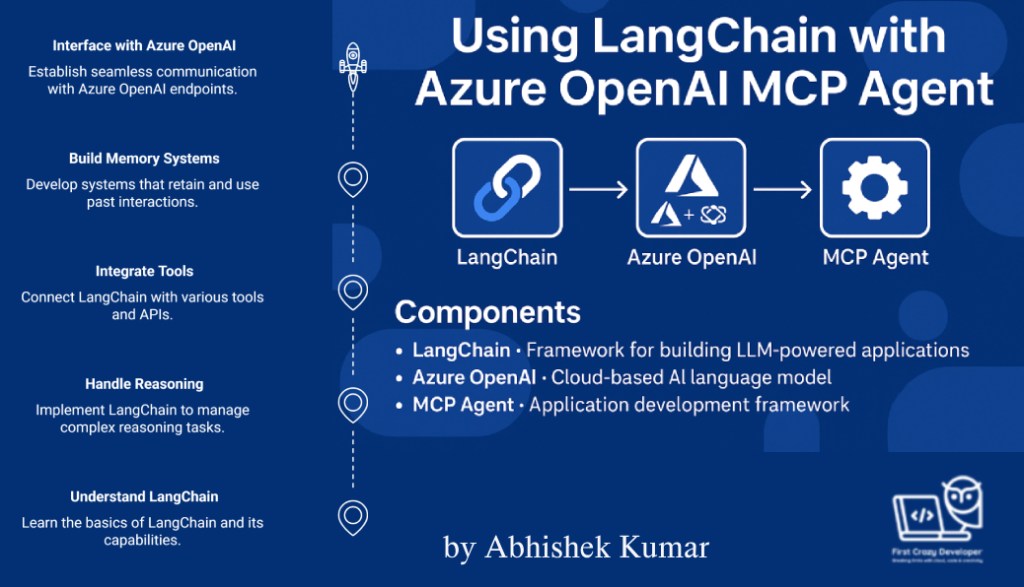
✅ Overview: Why Use LangChain in MCP?
LangChain helps you:
- Handle multi-step reasoning (Agent-style tasks)
- Integrate tools (like search, calculators, or APIs)
- Build memory-enabled systems
- Interface easily with Azure OpenAI completions/chat endpoints
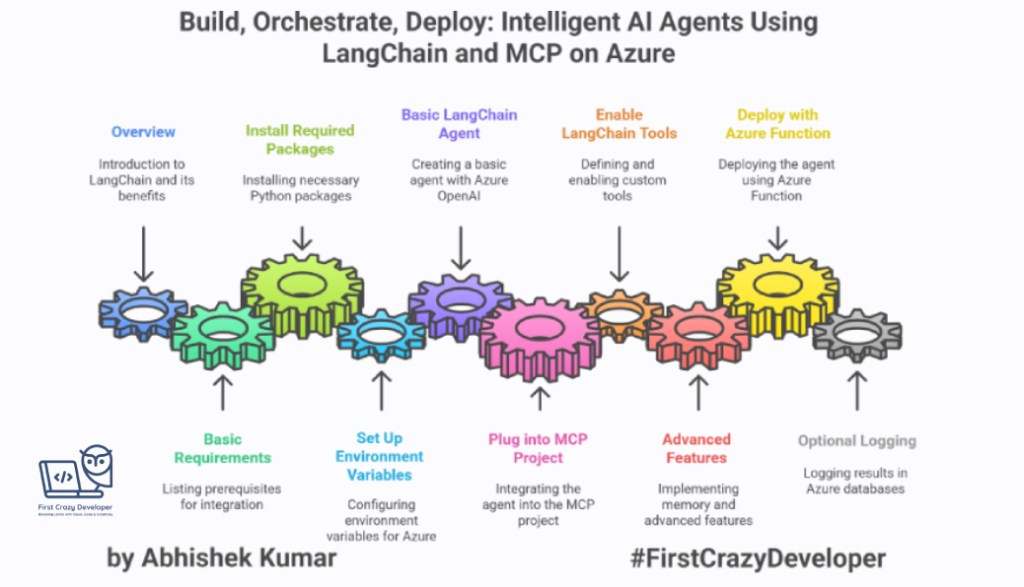
🛠️ Basic Requirements
🧱 Prerequisites:
- Python 3.10+
langchainandlangchain-openaipackages- Azure OpenAI resource with a deployed GPT model (gpt-35-turbo, gpt-4, etc.)
- A working MCP Agent scaffold (you already have this in your repo)
dotenvor Azure App Configuration (to store secrets)

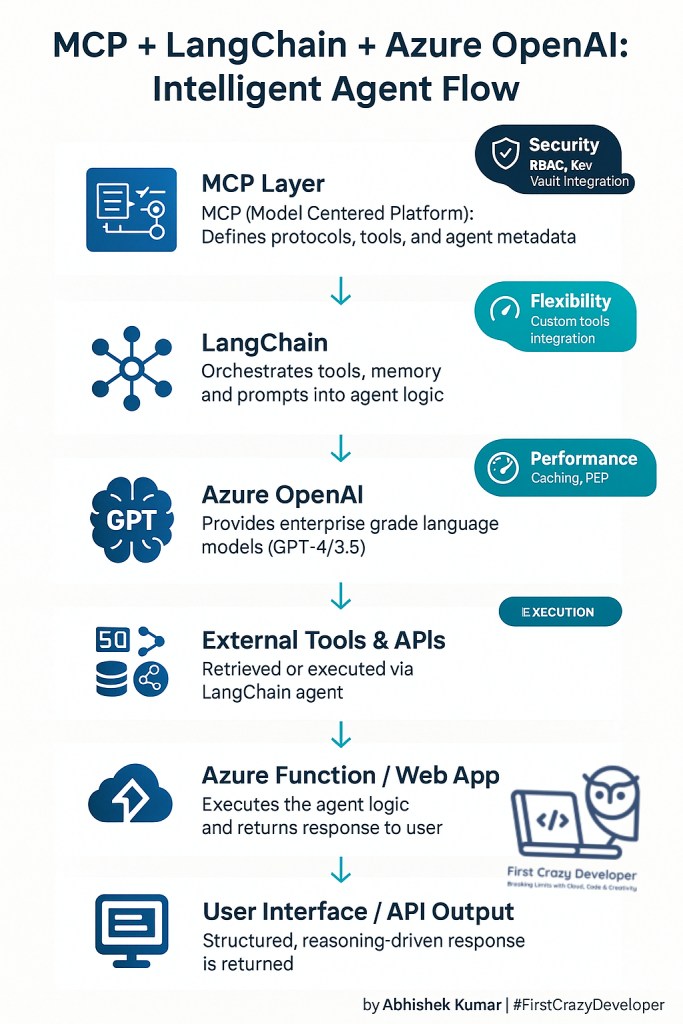
🧱 Architecture Overview
User → Azure Function (MCP Agent) → LangChain Layer
├─ Azure OpenAI (GPT)
├─ Tool: Internal Search (MCP Docs)
└─ Memory (Cosmos DB / local)
🧪 Step-by-Step Python Implementation
🔹 📦 Install Dependencies
pip install langchain langchain-openai azure-identity python-dotenv
🔹 🔐 Set Up Environment Variables
In your .env or local.settings.json (for Azure Functions):
AZURE_OPENAI_API_KEY=<your-key>
AZURE_OPENAI_ENDPOINT=https://<your-endpoint>.openai.azure.com/
AZURE_OPENAI_DEPLOYMENT_NAME=gpt-4
AZURE_OPENAI_API_VERSION=2024-05-01-preview
🔹 🧠 Basic LangChain Agent with Azure OpenAI
from langchain.chat_models import AzureChatOpenAI
from langchain.agents import initialize_agent, Tool
from langchain.agents.agent_types import AgentType
from langchain.tools import DuckDuckGoSearchRun
import os
from dotenv import load_dotenv

load_dotenv()

llm = AzureChatOpenAI(
    openai_api_key=os.getenv("AZURE_OPENAI_API_KEY"),
    openai_api_base=os.getenv("AZURE_OPENAI_ENDPOINT"),
    deployment_name=os.getenv("AZURE_OPENAI_DEPLOYMENT_NAME"),
    openai_api_version=os.getenv("AZURE_OPENAI_API_VERSION"),
    openai_api_type="azure",
)

tools = [
    DuckDuckGoSearchRun(name="Search")
]

agent_executor = initialize_agent(
    tools,
    llm,
    agent=AgentType.ZERO_SHOT_REACT_DESCRIPTION,
    verbose=True
)

# 🔄 Call the Agent
response = agent_executor.run("What is the latest update on MCP AI Agents?")
print(response)
🔹 📁 How to Plug This into MCP Agent Project
Folder structure suggestion:
source/
│
├── python/
│   └── MCPAIAgent/
│       ├── main.py                 <- contains your LangChain logic
│       ├── .env                    <- contains Azure keys
│       └── utils/
│           └── langchain_tools.py <- custom tools you can define
🔹 🔌Enable LangChain Tools for MCP Agents
You can define your own tools as LangChain Tool objects. For example, if your MCP Agent exposes APIs or internal search:
from langchain.tools import Tool

def search_internal_docs(query: str) -> str:
    # Your own backend or MCP protocol integration
    return "Result from internal MCP system"

internal_search_tool = Tool(
    name="InternalDocsSearch",
    func=search_internal_docs,
    description="Use this to search internal documents and MCP data."
)
Then inject this into your tools = [...] list.
🔹 🧠 Advanced: Use LangGraph or Memory
If your MCP Agent needs multi-turn memory, LangChain offers ConversationBufferMemory:
from langchain.memory import ConversationBufferMemory

memory = ConversationBufferMemory(memory_key="chat_history")
agent_executor = initialize_agent(
    tools,
    llm,
    agent=AgentType.CHAT_CONVERSATIONAL_REACT_DESCRIPTION,
    memory=memory,
    verbose=True
)
🔹 ✅ Deploying with Azure Function
In your __init__.py of Azure Function (HTTP Trigger):
def main(req: func.HttpRequest) -> func.HttpResponse:
    user_input = req.get_json().get("query")
    result = agent_executor.run(user_input)
    return func.HttpResponse(result, status_code=200)
🔹 📎 Optional: Log Results in Vector DB or Cosmos DB
To track past interactions or agent results, log output in:
- Azure Cosmos DB
- Azure Table Storage
- Or LangChain-compatible Vector DB like Pinecone or Chroma
🧪 Step-by-Step C# Equivalent (Azure SDK)
🧠 Goal:
Replicate the LangChain Agent behavior:
- Multi-step reasoning
- Tool usage (e.g., search)
- OpenAI Chat Completion via Azure
- Memory (via state or storage)
🔹 🧰 Add Setup – NuGet Packages
dotnet add package Azure.AI.OpenAI
dotnet add package Microsoft.Extensions.Configuration
dotnet add package Microsoft.Extensions.Configuration.Json
🔹 ⚙️ appsettings.json
{
  "AzureOpenAI": {
    "Endpoint": "https://<your-endpoint>.openai.azure.com/",
    "Key": "<your-api-key>",
    "Deployment": "gpt-4",
    "ApiVersion": "2024-05-01-preview"
  }
}
🔹 🧠 Build Agent with “Tool” Integration (MCP Search)
Program.cs
using Azure;
using Azure.AI.OpenAI;
using Microsoft.Extensions.Configuration;

var config = new ConfigurationBuilder()
    .AddJsonFile("appsettings.json")
    .Build();

var endpoint = new Uri(config["AzureOpenAI:Endpoint"]);
var key = new AzureKeyCredential(config["AzureOpenAI:Key"]);
var deployment = config["AzureOpenAI:Deployment"];
var version = config["AzureOpenAI:ApiVersion"];

var client = new OpenAIClient(endpoint, key);

var messages = new List<ChatMessage>
{
    new ChatMessage(ChatRole.System, "You are a helpful agent that searches internal MCP knowledge base."),
    new ChatMessage(ChatRole.User, "What is the latest update on MCP AI Agents?")
};

var chatOptions = new ChatCompletionsOptions();
foreach (var msg in messages)
    chatOptions.Messages.Add(msg);

chatOptions.Temperature = 0.7f;

ChatCompletions response = await client.GetChatCompletionsAsync(
    deployment,
    chatOptions
);

Console.WriteLine(response.Choices[0].Message.Content);
🛠️ Optional Tool Simulation (Custom MCP Tool)
Define a C# method that simulates a “Tool” like LangChain:
string SearchInternalMCPDocs(string query)
{
    // Simulate external tool (e.g., API call, DB lookup)
    return $"Result for '{query}' from MCP internal documents.";
}
Inject its result into the system prompt or into memory.
💾 Add Memory Across Calls
Store past chat history in Azure Cosmos DB, local JSON, or in-memory list if within a function context.
List<ChatMessage> memory = LoadFromHistoryStore(); // load previous session
memory.Add(new ChatMessage(ChatRole.User, "Continue with more info on MCP Agents"));
🧪 Result
You’ve now recreated a LangChain-style agent using:
- Azure OpenAI Chat API
- Custom “Tool” invocation
- System prompts
- External config
- Optionally memory
💼 Benefits for Developers & Organizations
✅ For Developers
- Reusable tooling and patterns across apps
- Simplified multi-modal integration (search, APIs, memory)
- Unified chat + tool + memory + LLM under one orchestration
- Language-agnostic flow (Python/C# parity)
✅ For Companies
- 📊 Faster time-to-solution for internal AI agents
- 🔒 Azure-native integration with enterprise security
- 💸 Cost-optimized usage with private endpoints, caching, tools
- 🧠 Continuous learning from internal documents or DBs
🔚 Conclusion
LangChain empowers your Azure OpenAI MCP Agent to act beyond prompts—reason, retrieve, and respond smartly. Whether you’re a Python-first developer or working in C# .NET environments, the architecture can be adapted.
✍️ Abhishek Take
“LangChain is not just a Python framework—it’s a mindset shift for AI engineers and solution architects. When you combine it with Azure OpenAI and enterprise context like MCP, you’re unlocking a new class of intelligent digital agents that don’t just generate—they reason, act, and learn.”
— Abhishek Kumar | #FirstCrazyDeveloper
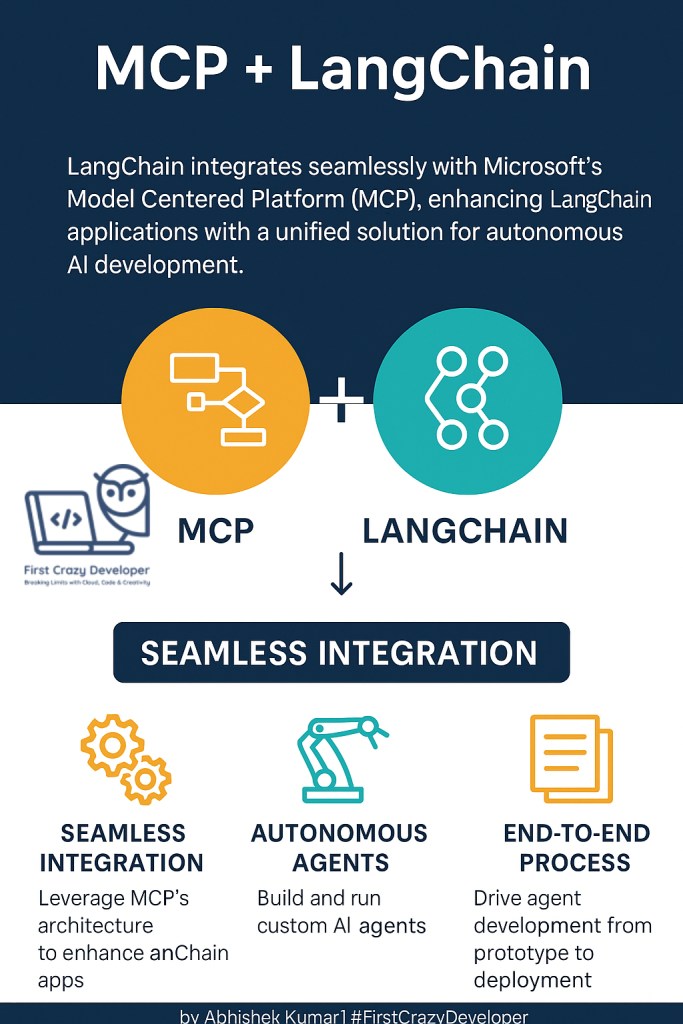
In today’s enterprise landscape, LLMs alone aren’t enough. You don’t want a chatbot. You want an agent—a digital teammate that can reason across data, trigger tools, retrieve company-specific knowledge, and evolve through conversations.
That’s where the LangChain + Azure OpenAI + MCP triad becomes powerful.
🔍 What does this mean practically?
✅ Instead of a generic LLM that “talks,” your MCP Agent can:
- Understand context over multiple steps
- Choose from company-approved tools (e.g., compliance search, SAP integrations)
- Use Azure RBAC-secured APIs
- Retain memory and state via Cosmos DB or Table Storage
- Be deployed as Azure Functions or Containers for real-time use
🧠 Why LangChain Matters?
LangChain provides the reasoning layer and orchestration logic. With it, your agents become:
- Modular (easy to swap tools)
- Memory-enabled (track context)
- Goal-driven (multi-step task resolution)
- Extensible across services (Azure Search, Microsoft Graph, Databricks, etc.)
💬 Why Azure OpenAI?
Because it brings:
- Enterprise trust, security, and compliance (SOC, HIPAA, GDPR)
- Scalable API management via APIM, VNet, or Private Endpoints
- Seamless Azure-native access control (Managed Identity, Key Vault, etc.)
🧭 Abhishek’s Insight for Architects & Companies
“This architecture is not just a technical trick—it’s a strategy. Companies who move from prompt-based bots to orchestrated, memory-driven agents will create real business differentiation. Think AI agents that can approve orders, summarize reports, validate compliance, or guide technicians—all through LangChain, Azure, and your internal data. This is the future. Architect for it today.”
— Abhishek Kumar#LangChain #AzureOpenAI #MCPAgent #EnterpriseAI #AIArchitecture #Python #DotNet #AzureFunctions #GenerativeAI #AutonomousAgents #AbhishekTake #DevCommunity #MicrosoftAI #RAG #MultiAgent #AIEngineer #TechLeadership #FirstCrazyDeveloper
 First Crazy Developer
Leave a comment