
✍️ By Abhishek Kumar | #FirstCrazyDeveloper
Why .NET 10 Matters
.NET 10 is a Long-Term Support (LTS) release, meaning it will receive support (patches, security updates) for three years. Microsoft Learn Because of that, many teams will adopt it as a baseline for stability, performance, and new features. It’s the successor to .NET 9. Microsoft Learn
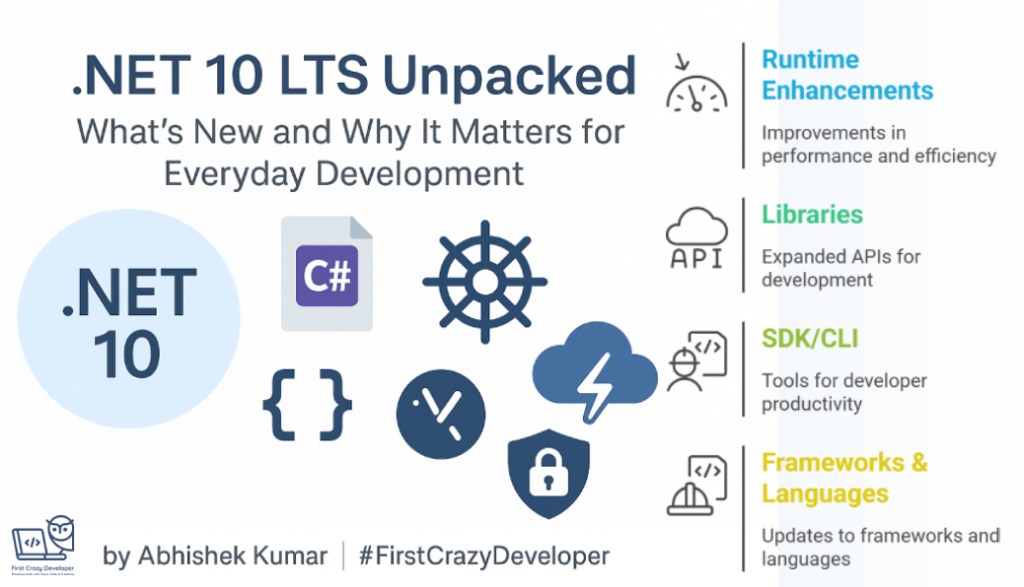
The changes in .NET 10 span runtime, libraries, SDK/CLI, frameworks (ASP.NET Core, MAUI, etc.), and the languages (C#, F#, VB). Below I break down each major area, highlight what’s new, and comment on how this might make things easier (or faster) for developers.
Runtime Enhancements
At the core of .NET, the runtime improvements are often “behind the scenes”, but they can lead to noticeable gains (especially in compute-heavy, low-level, or high-performance code). Here are the key runtime upgrades:
1. Better JIT Inlining & Devirtualization
.NET 10’s JIT (Just-In-Time compiler) is smarter at inlining (replacing a method call with the method body, when it’s small or predictable) and devirtualization (resolving virtual calls to direct calls when possible). Microsoft Learn
Why that helps you: Reduced call overhead, fewer indirections, and better inlining tend to produce faster, more optimized code—especially in tight loops or performance-sensitive paths.
2. Stack Allocations & Struct Argument Optimizations
There are enhancements in how stack allocations are handled, and better code generation when passing structs (value types) as method parameters. Microsoft Learn
- More efficient use of stack space can reduce heap pressure and GC churn.
- Passing structs (especially larger ones) more smartly avoids unnecessary copying.
3. AVX10.2 Support & Other CPU-Level Optimizations
.NET 10 introduces support for AVX10.2 (vectorized instructions) which can accelerate numeric computation, cryptography, image or signal processing, etc. Microsoft Learn
If your code does heavy math, AI, ML, or multimedia, this means better performance on CPUs that support that instruction set.
4. NativeAOT Enhancements
NativeAOT (ahead-of-time compilation into native binaries) gets further upgrades in .NET 10. Microsoft Learn
This is a continued push toward scenarios like:
- small-footprint, fast-launching apps (e.g. command-line tools, microservices),
- static linking, trimming away unused code,
- deployment models where you want a single native executable.
5. Enhanced Loop Inversion & Code Gen Improvements
Loop inversion is an optimization where a while (condition) { body } becomes if (condition) do { body; } while (condition) or variations, to reduce branch mispredictions, etc. .NET 10 improves how loops are optimized. Microsoft Learn
Also, general improvements in code generation help make more efficient machine code for typical patterns.
Libraries: More APIs, More Power
The .NET base class libraries also evolve in .NET 10, giving you more tools for everyday development. Below are some key library changes and how they can help.
Cryptography & Post-Quantum Readiness
- Expanded support in Windows CNG (Cryptography API: Next Generation) for post-quantum algorithms. Microsoft Learn
- Simplified APIs around ML-DSA (digital signature algorithm), and support for HashML-DSA and Composite ML-DSA. Microsoft Learn
- AES KeyWrap with padding support. Microsoft Learn
Why it’s useful: As cryptographic standards evolve (especially to counter quantum threats), having built-in support makes life easier for security, identity, and encryption-heavy components in your apps.
Collections, Serialization, and JSON Enhancements
- JSON serialization supports disallowing duplicate properties, strict serialization settings, and PipeReader support (stream-based, high-performance) for better efficiency. Microsoft Learn
- Improvements in collection types, diagnostics, globalization APIs, ZIP file manipulation, etc. Microsoft Learn
Imagine reading or writing JSON streams more efficiently with PipeReader, or catching scenarios where malformed JSON includes duplicate properties. These features reduce boilerplate or error-prone code you might otherwise write yourself.
Networking & Processes
- A new WebSocketStream abstraction to simplify working with
WebSocketin a streaming fashion. Microsoft Learn - TLS 1.3 support for macOS clients. Microsoft Learn
- On Windows, process groups support is introduced for better signal isolation and process management. Microsoft Learn
These capabilities make it simpler to build robust web, real-time, or distributed systems—less plumbing to write, more built-in support.
SDK / CLI Improvements
The SDK and command-line tooling is how most developers interact daily, so enhancements here often yield immediate productivity gains.
Standardized CLI Ordering & Tab-Completion Scripts
- The CLI commands are more standardized in how flags and parameters are ordered for consistency. Microsoft Learn
- The SDK now generates native tab-completion scripts for popular shells (e.g. Bash, PowerShell, zsh). Microsoft Learn
You’ll get an improved command-line experience out of the box, fewer surprises with parameter ordering, and better shell integration.
Container Support Built-In
- .NET console apps can now natively produce container images (from the SDK) without needing separate Dockerfile scripts. Microsoft Learn
- You can explicitly set the container image format (e.g. “linux/arm64”, “windows/amd64”, etc.) via a new property. Microsoft Learn
For teams deploying microservices or cloud workloads, this means less manual container plumbing and better alignment with runtime targets.
Tooling & RuntimeIdentifier “any” & One-Shot Tool Execution
- The
anyRuntimeIdentifier means tools can more flexibly run across platforms. Microsoft Learn dotnet tool execenables one-shot execution of local tools without needing a global install. Microsoft Learn- A new
dnxscript to ease launching of tool execution. Microsoft Learn - CLI introspection with a
--cli-schemaflag to inspect the CLI’s schema. Microsoft Learn - Enhanced support for file-based apps with publish + native AOT. Microsoft Learn
In practice: if you maintain developer tools, local CLI utilities, or cross-platform tooling, these changes reduce friction and improve portability.
Frameworks & Language Features
.NET 10 also brings updates to the popular frameworks (ASP.NET Core, MAUI, EF Core) and languages (C#, F#, VB). Here’s what’s new and potentially impactful for your everyday development.
ASP.NET Core 10
Some of the improvements you’ll see:
- Blazor WebAssembly preloading: Helps speed up initial load by preloading resources. Microsoft Learn
- Automatic memory pool eviction: Better memory management, releasing unused buffers. Microsoft Learn
- Enhanced form validation and improved diagnostics tools. Microsoft Learn
- Passkey support (e.g. for authentication flows) in Identity. Microsoft Learn
- OpenAPI enhancements, minimal API improvements. Microsoft Learn
If you build web APIs or front-end components via Blazor, these upgrades help with performance, load times, maintainability, and authentication robustness.
C# 14
Several new syntax and productivity features arrive in C# 14:
- Field-backed properties: Allows you to bridge between auto-properties and manual getters/setters more cleanly by using
fieldkeyword. Microsoft Learn nameofnow supports unbound generic types (e.g.nameof(List<>)) returning simply"List". Microsoft Learn- First-class support for implicit conversions of
Span<T>/ReadOnlySpan<T>. Microsoft Learn - You can now use
ref,in,outmodifiers inside lambda declarations without specifying parameter types. Microsoft Learn - Partial instance constructors and partial events (a complement to the partial methods / properties introduced earlier). Microsoft Learn
extensionblocks: A new way to define static extension methods (and extension properties), grouping them in a block. Microsoft Learn- Null-conditional assignment (
?.=) operator. Microsoft Learn - User-defined compound assignment (like
+=,-=) and ++ / — operators for your own types. Microsoft Learn
These language features can reduce boilerplate, make code more expressive, and help you write more intuitive APIs or domain code.
F# and Visual Basic
- F# gets new language features (enabled via
<LangVersion>preview</LangVersion>) that later become default in .NET 10. Microsoft Learn - Changes in
FSharp.Corelibrary are automatically applied (unless pinned). Microsoft Learn - Visual Basic now better enforces the
unmanagedgeneric constraint and respectsOverloadResolutionPriorityAttributeso faster, Span-based overloads are preferred. Microsoft Learn+1
Even if you don’t use VB or F# heavily, these changes help ensure interoperability and future-proofing in mixed-language projects.
.NET MAUI (Mobile / Cross-Platform UI)
Key updates in .NET MAUI include:
- MediaPicker: Supports selecting multiple files and image compression. Microsoft Learn
- WebView request interception: You can intercept HTTP requests in WebView, useful for hybrid apps. Microsoft Learn
- Support for newer Android API levels (35, 36) and enhancements across supported platforms. Microsoft Learn
So, if you build cross-platform mobile or desktop UIs with MAUI, these improvements directly map to better user experience and platform compatibility.
EF Core 10
Entity Framework Core 10 includes:
- LINQ enhancements (more expressive queries, nicer translation). Microsoft Learn
- Performance improvements. Microsoft Learn
- Better support for Azure Cosmos DB. Microsoft Learn
- Named query filters: you can define multiple filters per entity type and selectively disable them. Microsoft Learn
Named query filters give you more control (for example, soft-delete filters, multitenancy, filtering by tenant or status) without cluttering every query.
UI (Windows Forms & WPF)
- Windows Forms: Clipboard updates, porting of
UITypeEditorsfrom .NET Framework, and various quality improvements. Microsoft Learn - WPF: Performance tweaks, Fluent style (UI theming) updates, bug fixes. Microsoft Learn
These feel more incremental, but useful if you maintain or upgrade desktop applications.
How These Changes Help in Daily Development
Let me tie it all together by painting some scenarios to show the practical impact:
- You’re working on a microservice: You can target native AOT, containerize your app directly from the SDK, and benefit from faster cold starts with smarter JIT and inlining.
- You process JSON streams or large data payloads: The improved JSON features (PipeReader support, stricter rules) let you parse or serialize more efficiently and with safer defaults.
- You maintain an authentication system: The new cryptography support (post-quantum, AES KeyWrap with padding, ML-DSA) gives you more modern, future-proof tools built in.
- You contribute to a shared library or API suite: C# 14 new syntax (field-backed properties, extension blocks, lambda parameter modifiers) allows cleaner, more maintainable code—and expressive APIs.
- You work on a full-stack web app: Blazor preloading, better form validation and diagnostics, WebSocketStream, and improved HTTP / security support all enhance responsiveness, debugging, and ease of development.
- You maintain cross-platform UI apps: MAUI’s enhancements let you offer features like multiple file selection or compress images out-of-the-box, and target newer Android versions smoothly.
- You build data access layers: EF Core 10’s named filters reduce boilerplate, and performance tweaks make data access faster.
Tips & Considerations for Adoption
- Because .NET 10 is LTS, it’s a strong candidate for upgrading, but as always, test thoroughly—especially around performance-sensitive or runtime behavior differences.
- Start by enabling new SDK or language preview features gradually, so your codebase doesn’t break.
- For native AOT, be mindful of trimming and “unreferenced code” issues—test startup paths and reflection-heavy parts carefully.
- Watch for breaking changes or deprecations; check the detailed “What’s new in runtime / libraries / SDK” sections in Microsoft’s docs (these have migration guidance).
- Use the new diagnostics and introspection tools (cli-schema, enhanced diagnostics in ASP.NET) to better understand behavior and performance.
.NET 10: Quick Adoption Checklist (LTS)
Why upgrade now: .NET 10 is an LTS release with runtime, library, SDK/CLI, and language improvements that pay off immediately—especially for web APIs, containers, AOT tools, and clean C# patterns. Microsoft Learn
0) Prereqs (once)
- Install .NET 10 SDK (and latest VS/VS Code extensions).
- Confirm:
dotnet --info - Project file → set target framework:
<TargetFramework>net10.0</TargetFramework> - If you pin SDK with
global.json, update:{ "sdk": { "version": "10.0.100" } }
1) SDK/CLI wins you can use today
A. Build a container image without a Dockerfile
From your app folder:
dotnet publish -c Release -t:PublishContainer
Optionally control image details (repo/tag/platform) via SDK container properties in your .csproj (for CI/CD reproducibility): Microsoft Learn+2Microsoft Learn+2
<PropertyGroup>
  <PublishProfile>DefaultContainer</PublishProfile>
  <ContainerImageName>registry.example.com/myapp</ContainerImageName>
  <ContainerImageTag>v1</ContainerImageTag>
  <ContainerRuntimeIdentifier>linux-x64</ContainerRuntimeIdentifier>
</PropertyGroup>
B. Better shell experience
The CLI standardizes command/option ordering and can generate native tab-completion scripts for bash/zsh/PowerShell, making daily typing faster. Microsoft Learn+1
2) Runtime & performance (no code changes)
- Smarter JIT inlining/devirtualization and loop/codegen tweaks → faster tight loops & hot paths.
- AVX10.2 support for vectorized workloads (image/crypto/ML).
- NativeAOT gets nicer (smaller, quicker tools/microservices). Microsoft Learn
Try it: run your perf tests after retargeting—many apps speed up “for free.”
3) Libraries you’ll feel in everyday code
A. High-throughput JSON (pipelines-friendly)
System.Text.Json adds PipeReader support and stricter options (e.g., disallow duplicate props) for safer, faster parsers: Microsoft Learn+1
var options = new JsonSerializerOptions
{
    ReadCommentHandling = JsonCommentHandling.Skip,
    AllowTrailingCommas = false,
    // Example: reject duplicate properties for predictable models:
    PreferredObjectCreationHandling = JsonObjectCreationHandling.Strict
};

// Reading from a PipeReader (minimal example)
using var stream = File.OpenRead("payload.json");
var pipe = System.IO.Pipelines.PipeReader.Create(stream);
var reader = await JsonSerializer.DeserializeAsync<MyDto>(pipe.AsStream(), options);
B. ZIP files without blocking threads
Async ZIP APIs let you extract/update large archives without freezing your worker thread/UI: Microsoft Learn
await using var zip = await ZipArchive.OpenAsync("big.zip", ZipArchiveMode.Update);
await zip.CreateEntryFromFileAsync("report.csv", "data/report.csv"); // illustrative
C. Crypto that’s future-proof
New crypto/NIST-PQC-aligned building blocks (e.g., ML-DSA family, AES-KeyWrap padding) help you modernize auth/secure storage flows. Microsoft Learn
4) ASP.NET Core 10 in real life
- Faster Blazor startup via better preloading; stronger diagnostics & memory pool eviction.
- Identity gets Passkeys support baked in.
- WebSockets feel nicer via WebSocketStream-style work.
- OpenAPI/minimal APIs continue to polish. Microsoft Learn
Try it (minimal API quality-of-life):
var builder = WebApplication.CreateBuilder(args);
builder.Services.AddEndpointsApiExplorer().AddSwaggerGen();

var app = builder.Build();
app.UseSwagger().UseSwaggerUI();

app.MapGet("/health", () => Results.Ok(new { status = "ok", at = DateTimeOffset.UtcNow }));
app.Run();
5) C# 14: small syntax, big happiness
Use these immediately after moving to .NET 10 (no special flags in typical projects). Microsoft Learn+1
A. Field-backed properties (cleaner than hand-rolled)
private int _count;

public int Count
{
    get => field;           // 'field' is the backing storage here
    set => field = Math.Max(0, value);
}
B. ?.= (null-conditional assignment)
Dictionary<string,int>? cache = null;
cache?.Add("k", 1); // no-op if null
cache?.= new();     // if cache is null, assign a new Dictionary
cache.Add("k", 1);
C. extension blocks (group your extensions cleanly)
extension MyStringExtensions for string
{
    public static bool IsAllDigits(this string s) => s.All(char.IsDigit);
}
D. Spans feel “built-in”
New conversions/inference rules mean more overloads pick the efficient Span<T>/ReadOnlySpan<T> paths (watch for changed overload resolution). Microsoft Learn
6) EF Core 10: expressiveness & filters
EF10 adds performance and features like named query filters (multiple per entity, toggle as needed)—perfect for soft-delete, multitenancy, and “scoped views” of data. (EF10 is still rolling out; follow the official notes.) Microsoft Learn
modelBuilder.Entity<Order>().HasQueryFilter("ActiveOnly", o => !o.IsDeleted);
modelBuilder.Entity<Order>().HasQueryFilter("ByTenant",  o => o.TenantId == _tenantId);

// Temporarily disable one:
using var ctx = new AppDbContext();
using var _ = ctx.DisableQueryFilter("ByTenant");
var allTenants = await ctx.Orders.ToListAsync();
7) MAUI polish (if you ship cross-platform UI)
- Multiple-select MediaPicker, image compression, and .NET Aspire service defaults template for telemetry/service discovery bootstrapping. Microsoft Learn
8) NativeAOT: lightning-fast tools/microservices
When to use: CLIs, small workers, or gRPC/minimal APIs where cold-start matters and reflection is limited. Runtime improvements continue in .NET 10. Microsoft Learn
Try it (CLI sample):
<!-- .csproj -->
<PropertyGroup>
  <OutputType>Exe</OutputType>
  <TargetFramework>net10.0</TargetFramework>
  <PublishAot>true</PublishAot>
  <InvariantGlobalization>true</InvariantGlobalization>
  <IlcGenerateCompleteTypeMetadata>false</IlcGenerateCompleteTypeMetadata>
</PropertyGroup>
dotnet publish -c Release -r win-x64 --self-contained true
9) Safe, low-risk migration plan (2–5 hours for most APIs)
- Target net10.0 on a non-prod branch and build.
- Fix compiler issues (often just updated analyzers/nullable warnings).
- Run tests/benchmarks—note perf deltas from runtime gains. Microsoft Learn
- Enable SDK container publish in CI to produce images (keep your old Dockerfile path as a backup for one sprint). Microsoft Learn+1
- If you’re on EF Core, evaluate EF10 preview changes on a feature branch before promotion. Microsoft Learn
- If you ship desktop/MAUI, validate platform-specific changes (Android API levels, WinForms tweaks). Microsoft Learn+1
10) “Try it now” snippets you can paste
JSON: reject dup props + stream parse
var opts = new JsonSerializerOptions
{
    // Example option naming may vary—consult release notes for exact names in your SDK build
    PreferredObjectCreationHandling = JsonObjectCreationHandling.Strict
};
await using var s = File.OpenRead("input.json");
var dto = await JsonSerializer.DeserializeAsync<MyDto>(s, opts);
(Why: safer ingestion, fewer subtle bugs.) Microsoft Learn
Minimal API + OpenAPI (developer-friendly defaults)
var b = WebApplication.CreateBuilder(args);
b.Services.AddEndpointsApiExplorer().AddSwaggerGen();

var app = b.Build();
app.UseSwagger().UseSwaggerUI();
app.MapPost("/orders", (CreateOrder req) => Results.Ok(new { id = Guid.NewGuid() }));
app.Run();
(Why: lower ceremony, docs by default.) Microsoft Learn
C# 14 extensions & null-conditional assignment
extension MoneyOps for decimal
{
    public static decimal ClampMin(this decimal value, decimal min) => value < min ? min : value;
}

Dictionary<string, string>? meta = null;
meta?.= new(); // initialize if null
meta["traceId"] = Activity.Current?.Id ?? Guid.NewGuid().ToString();
(Why: cleaner helpers, fewer null checks.) Microsoft Learn
Publish a container straight from the SDK
dotnet publish -c Release -t:PublishContainer /p:ContainerImageTag=2025-09-28
(Why: one command to a runnable image in CI.) Microsoft Learn
💭 Abhishek’s Take
.NET 10 isn’t just another version — it’s a solid foundation for the next era of enterprise development.
What excites me most is how Microsoft is finally aligning developer productivity, runtime performance, and cloud-native readiness under one roof.
Features like built-in container publishing, NativeAOT enhancements, and C# 14’s modern syntax show that .NET is evolving beyond a framework — it’s becoming a unified ecosystem for building anything: APIs, apps, agents, and AI-driven workloads.
As developers and architects, this is the perfect time to rethink how we build, deploy, and optimize our solutions — because .NET 10 is built for speed, security, and simplicity.
🔹 Let’s not just upgrade our projects — let’s upgrade our approach.
Where to go deeper (official docs)
- .NET 10 – What’s new (overview, runtime, libraries, SDK): start here. Microsoft Learn+3Microsoft Learn+3Microsoft Learn+3
- C# 14 – What’s new & compiler changes: language details & gotchas. Microsoft Learn+1
- ASP.NET Core 10 – Release notes: web-focused improvements. Microsoft Learn
- Containerize with
dotnet publish: reference & tutorial. Microsoft Learn+1 - MAUI 10 – What’s new: UI/mobile updates. Microsoft Learn
- EF Core 10 – What’s new (preview): track changes before GA. Microsoft Learn
#DotNet10 #CSharp14 #Azure #DeveloperCommunity #CloudDevelopment #SoftwareEngineering #TechBlog #Performance #Innovation #Microsoft #CodingLife #AbhishekKumar #FirstCrazyDeveloper
 First Crazy Developer
Leave a comment