
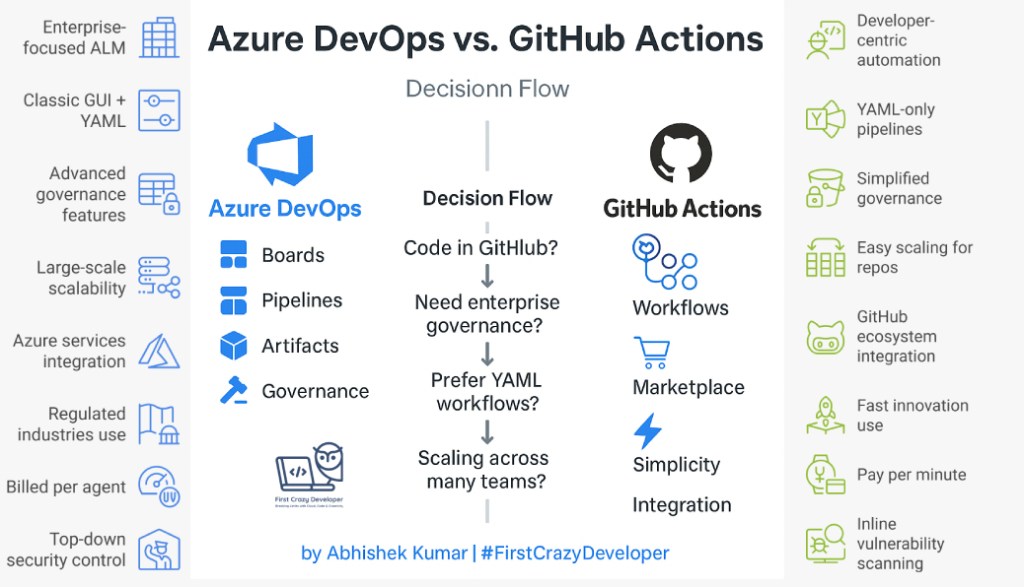
✍️ By Abhishek Kumar | #FirstCrazyDeveloper
Business Impact: “Leveraging Azure AI Services to Accelerate Digital Transformation.”
🌍 Why Understanding This Matters
Modern DevOps isn’t just about automation — it’s about aligning development velocity with governance, compliance, and collaboration.
Every organization today — whether it’s a startup or a Fortune 500 enterprise — relies on a CI/CD system to:
- Automate repetitive workflows (build, test, deploy)
- Reduce human error and deployment risk
- Increase delivery velocity
- Ensure auditability, traceability, and compliance
Microsoft now offers two world-class ecosystems for this:
- Azure DevOps → Enterprise-grade CI/CD suite built for large, multi-team delivery.
- GitHub Actions → Developer-centric automation integrated deeply with source control.
They both build pipelines, but how they scale, secure, and govern those pipelines differs greatly — and that’s where your architectural choice determines success.
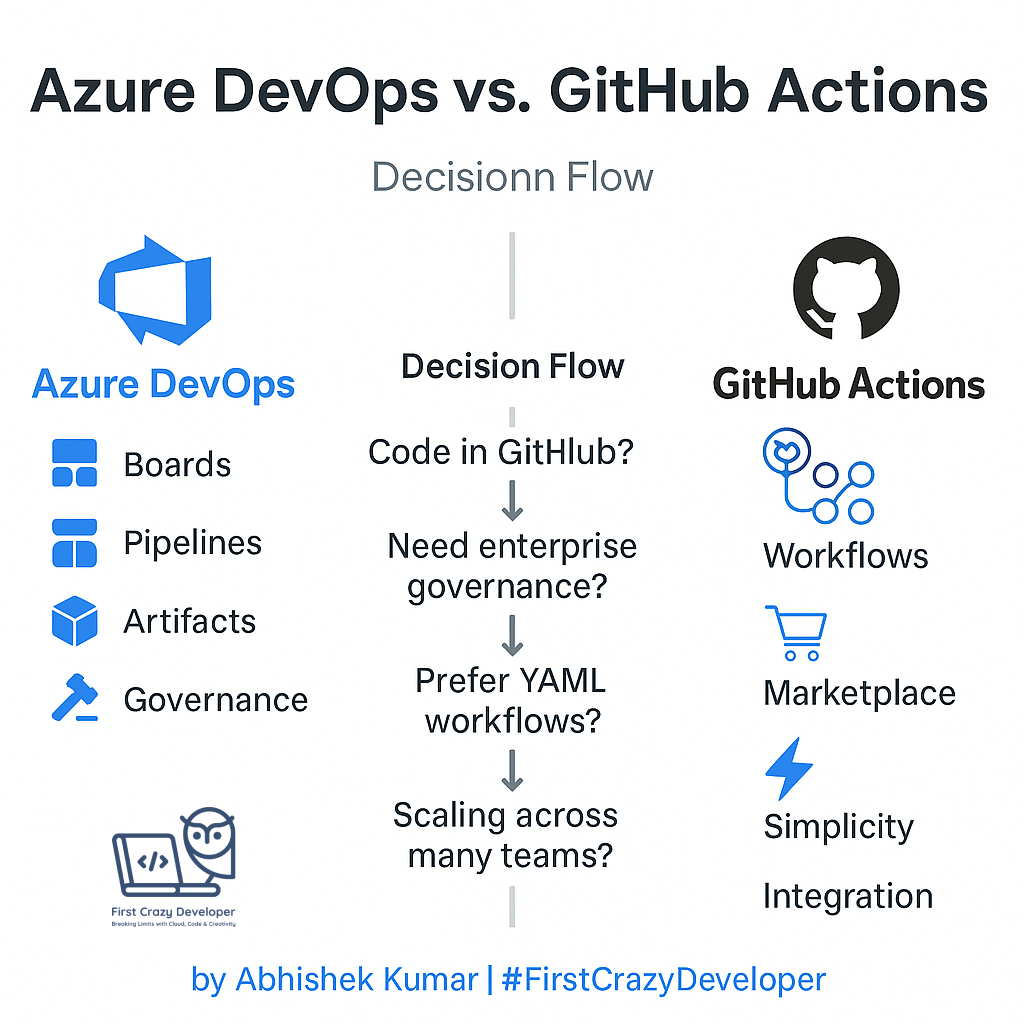
🧩 What’s the Core Difference?
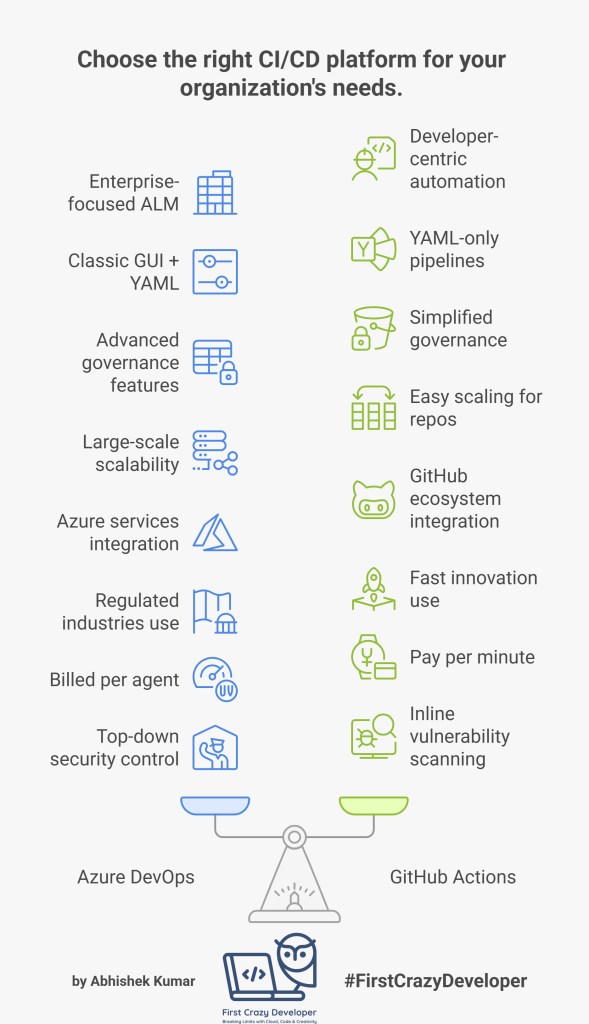
| Category | Azure DevOps | GitHub Actions |
|---|---|---|
| Audience | Enterprises, large engineering teams | Developers, open-source & agile teams |
| Primary Purpose | End-to-end ALM (Boards, Repos, Pipelines, Artifacts) | Lightweight CI/CD automation for code in GitHub |
| Pipeline Style | Classic GUI + YAML | YAML only |
| Governance | Advanced (Approvals, RBAC, Gates) | Simplified (Repo & Org permissions) |
| Scalability | Handles large org hierarchies & multiple projects | Easy scaling for independent repos |
| Integration Base | Azure services & internal tools | GitHub ecosystem, Marketplace integrations |
| Ideal Use Case | Regulated industries, multiple environments, large-scale delivery | Fast innovation, modern app stacks, microservices |
🧠 Why This Is Important for Architects
Choosing between them defines:
- How your CI/CD integrates with your cloud & infra
- How you enforce compliance & quality gates
- How you scale pipelines across teams & geographies
- Your future DevSecOps maturity model
The wrong choice can lead to:
❌ Fragmented workflows
❌ Inconsistent approvals
❌ Costly re-architecture later
🔍 Feature-by-Feature Deep Dive
1️⃣ Pipeline Authoring & Structure
Azure DevOps:
- Supports Classic UI pipelines (drag-and-drop) and YAML pipelines.
- Enables multi-stage pipelines with environment promotion (Dev → Test → Prod).
- Offers Task Library with 300+ ready-made tasks (build, deploy, scan, test).
GitHub Actions:
- YAML-only pipelines (“workflows”) stored within the repo under
.github/workflows. - Workflows trigger on events (push, pull_request, issue, schedule).
- Uses reusable “actions” from the GitHub Marketplace.
Architect’s Insight:
For large teams that need visibility, separation of duties, and multi-environment orchestration — Azure DevOps pipelines win.
For microservices or single-repo projects — GitHub Actions keeps things lean.
2️⃣ Source Code Integration
Azure DevOps: Works natively with Azure Repos, but also connects to GitHub or Bitbucket.
GitHub Actions: Tightly coupled with GitHub Repos — zero configuration needed.
Why It Matters:
If your enterprise already hosts code in GitHub, you instantly get CI/CD with no setup.
If you manage multiple business units using Azure Repos, DevOps offers unified management.
3️⃣ Security & Governance
Azure DevOps:
- Supports Role-Based Access Control (RBAC) at org, project, pipeline, and environment levels.
- Approvals & Checks ensure gated promotions.
- Audit Logs provide enterprise compliance.
- Integrates with Microsoft Entra ID for SSO + conditional access.
GitHub Actions:
- Permissions at repo/org level.
- Built-in Secrets store (for keys, tokens).
- Branch Protection Rules for PR validation.
- GitHub Advanced Security adds code scanning and secret scanning.
Architect’s Insight:
For regulated sectors (banking, pharma, manufacturing), Azure DevOps gives richer compliance tooling.
For agile, modern teams needing lightweight governance, GitHub Actions suffices.
4️⃣ Scalability & Performance
Azure DevOps:
- Scales to thousands of concurrent pipelines with self-hosted agents or Microsoft-hosted pools.
- Ideal for global orgs running multiple releases simultaneously.
GitHub Actions:
- Runners are easy to spin up.
- Matrix builds (multi-OS testing) supported out of the box.
- Community-driven scaling with reusable actions.
Real-World Scenario:
AkzoNobel runs hundreds of Loftware build pipelines across regions — Azure DevOps ensures traceability per environment, something GitHub Actions currently can’t centralize as easily.
5️⃣ Ecosystem & Extensions
Azure DevOps:
- Has a rich Extension Marketplace for SonarQube, JFrog, WhiteSource, etc.
- Integrates with Azure Monitor, App Insights, and Defender for DevOps.
- Native support for Artifacts (NuGet, npm, Maven).
GitHub Actions:
- Marketplace with 15 000+ actions (from Docker, AWS, Azure, Terraform, etc.).
- Integrates seamlessly with GitHub Copilot, Projects, and Packages.
Architect’s Insight:
If your pipeline needs heavy third-party scanning, approval gates, and audit — Azure DevOps.
If your dev team wants modern, flexible, cloud-agnostic automation — GitHub Actions.
6️⃣ Cost Model
Azure DevOps:
- Billed per agent parallelism.
- Self-hosted agents = no extra runtime cost.
- Ideal for stable workloads.
GitHub Actions:
- Pay per minute for hosted runners (2 000 min free).
- Self-hosted runners also supported.
- Ideal for bursty, variable workloads.
Rule of Thumb:
🧠 Long-running builds → DevOps.
⚡ Short, event-based builds → GitHub Actions.
7️⃣ DevSecOps & Policy Control
Azure DevOps:
- Integrates with Azure Policy, Defender for DevOps, and Microsoft Purview.
- Enforces environment checks (security scans, compliance rules).
GitHub Actions:
- Integrates with GitHub Advanced Security, Dependabot, and CodeQL.
- Perfect for automated vulnerability scanning in code.
Why It Matters:
Security is not optional. Enterprises prefer Azure DevOps for top-down control, while developers love GitHub Actions for inline scanning.
🧱 Real-World Architectures
🏢 Enterprise Scenario — Azure DevOps CI/CD for Multi-Environment Apps
Use Case:
Deploy Loftware integration APIs across Dev/Test/Prod environments hosted on Azure AKS.
Pipeline Flow:
1️⃣ Developer commits code.
2️⃣ Azure DevOps triggers build → unit test → artifact publish.
3️⃣ Release pipeline promotes artifact with manual approval gates.
4️⃣ Helm charts deploy to AKS.
Sample YAML:
trigger:
  branches:
    include: [ main ]

pool:
  vmImage: ubuntu-latest

stages:
- stage: Build
  jobs:
  - job: Build
    steps:
    - task: DotNetCoreCLI@2
      inputs:
        command: build
        projects: '**/*.csproj'

- stage: Deploy
  jobs:
  - deployment: AKSDeploy
    environment: 'prod'
    strategy:
      runOnce:
        deploy:
          steps:
          - task: HelmDeploy@0
            inputs:
              connectionType: 'Azure Resource Manager'
              namespace: 'prod'
              chartType: 'FilePath'
              chartPath: 'charts/api'
🌐 Agile Scenario — GitHub Actions for Microservice Deployment
Use Case:
Deploy containerized chatbot (Simaira AI) to Azure App Service.
Sample Workflow:
name: Build and Deploy Chatbot

on:
  push:
    branches: [ main ]

jobs:
  build:
    runs-on: ubuntu-latest
    steps:
      - uses: actions/checkout@v4
      - uses: azure/docker-login@v2
        with:
          login-server: myregistry.azurecr.io
          username: ${{ secrets.ACR_USER }}
          password: ${{ secrets.ACR_PASS }}
      - run: |
          docker build -t myregistry.azurecr.io/simaira:latest .
          docker push myregistry.azurecr.io/simaira:latest

  deploy:
    needs: build
    runs-on: ubuntu-latest
    steps:
      - uses: azure/webapps-deploy@v3
        with:
          app-name: simaira-ai
          publish-profile: ${{ secrets.AZURE_PUBLISH_PROFILE }}
          images: 'myregistry.azurecr.io/simaira:latest'
Outcome:
- Rapid deployment with single YAML file.
- Low maintenance.
- Ideal for MVPs and cloud-native prototypes.
📊 Decision Framework for Architects
Ask These 4 Questions:
| Question | Choose This |
|---|---|
| Where does your code live? | GitHub → GitHub Actions · Azure Repos → Azure DevOps |
| Do you need strict RBAC, audit & approval gates? | Azure DevOps |
| Do you need fast CI/CD with minimal setup? | GitHub Actions |
| Are you scaling across 100+ pipelines & teams? | Azure DevOps |
🧩 Hybrid Approach (Best of Both Worlds)
Many enterprises now combine both:
- GitHub for code, PRs, and collaboration.
- Azure DevOps for enterprise-grade deployment pipelines.
This hybrid architecture leverages GitHub Actions for build and Azure DevOps Releases for deployment, offering the best mix of speed + control.
✨ Abhishek Take
🔹 Azure DevOps → Stability, governance, and compliance for global enterprises.
🔹 GitHub Actions → Flexibility, speed, and developer happiness.
A true architect doesn’t pick one — they design a pipeline ecosystem that scales with both compliance and creativity.
“The smartest DevOps strategies don’t choose sides — they orchestrate the best of both.”
— Abhishek Kumar | #FirstCrazyDeveloper#Azure #DevOps #GitHubActions #CICD #CloudArchitecture #Automation #MicrosoftAzure #FirstCrazyDeveloper #AbhishekKumar
 First Crazy Developer
Leave a comment