
✍️ 𝐁𝐲 𝐀𝐛𝐡𝐢𝐬𝐡𝐞𝐤 𝐊𝐮𝐦𝐚𝐫 | #𝐅𝐢𝐫𝐬𝐭𝐂𝐫𝐚𝐳𝐲𝐃𝐞𝐯𝐞𝐥𝐨𝐩𝐞𝐫
Microsoft’s next-generation release, .NET 10, is now officially available for download and adoption. Microsoft+2Microsoft Learn+2 For architects, technical leads and seasoned engineers (as you are), this version is less about radical rewrites and more about targeted productivity boosters, performance wins, and ecosystem alignment. Below is a structured breakdown tailored to how you’ll consume this as an enterprise-scale technical architect and Azure/DevOps veteran.
Why .NET 10 matters
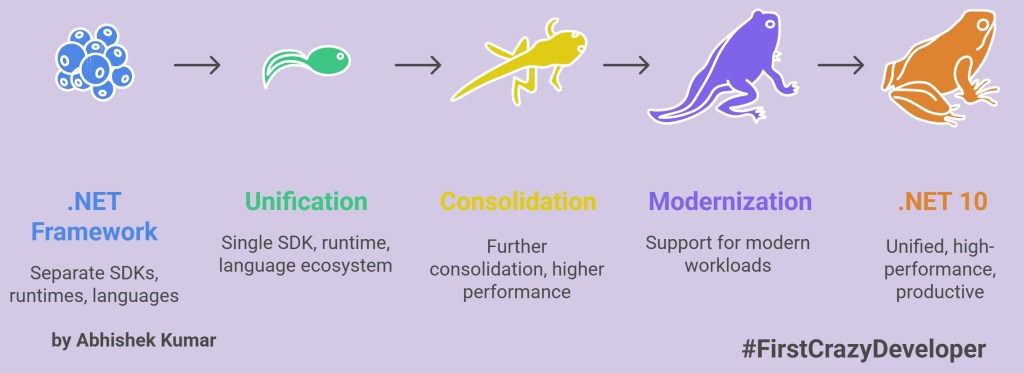
Over the last several years, the .NET platform has matured into a unified SDK, runtime and language ecosystem across desktop, cloud, containers, mobile and devices. .NET 10 marks the next logical step: further consolidation, higher performance, richer productivity tools, and deepened support for modern workloads (containers, tooling, cloud-native, minimal APIs). In your role as a Technical Architect working with Azure cloud, microservices, label-printing integrations, this matters because:
- You can deliver faster startup, smaller footprints, and better support for containerised microservices using Native AOT and trimming. Microsoft Learn+1
- Tooling enhancements mean your DevOps pipelines can be simplified (e.g., CLI improvements, native tab-completion). Microsoft Learn
- Language improvements (C# 14) allow you cleaner, more maintainable code—valuable given your long history in Azure + C# Web applications.
- For web-/API-heavy solutions (e.g., where you integrate Loftware with SAP, etc), the ASP.NET Core side brings meaningful enhancements around Minimal APIs, OpenAPI, SSE, passkey support.
- Desktop/mobile cross-platform maturity (via .NET MAUI) means if you ever extend into device or IoT front-ends, you’re covered.
In short: .NET 10 gives you more leverage without necessitating a full rewrite.
Top 8 key areas at a glance
Here are eight major pillars covered in the image you shared, with deeper commentary and what to watch out for.
1. C# 14
The language enhancements in C# 14 are interesting because they focus on developer ergonomics rather than dramatic shifts. Key items:
- Field-backed properties: Instead of manual backing fields you’ll have
fieldcontextual keyword to access underlying compiler-generated field inside the property accessor. This simplifies evolving from auto-props to custom logic. Microsoft Learn+1 - Implicit spans: Better support for
Span<T>/ReadOnlySpan<T>— helping you write high-performance code with fewer allocations. codemag.com+1 nameoffor unbound generics: You can now writenameof(List<>)(for example) to get the type name without specifying type arguments. Clean for tooling, diagnostics. Microsoft Learn- Extension members: You can add members (methods/properties) to types you don’t own using extension-member syntax. This can elevate helper libs in your solution architecture.
Architect/DevOps thoughts
- As part of your codebase evolution (you’ve got 14 years of C# experience), this provides incremental improvements you can adopt gradually rather than big-bang.
- Be mindful of tooling & pipeline compatibility: ensure your IDE (Visual Studio/VSCode) and analyzers support C# 14.
- Use the implicit span and field-backed properties features to refactor hot-paths (for example, your Loftware integration code or Azure Functions) for performance.
2. ASP.NET Core (Web/API)
This is a big one for you given your integration projects, microservices, and API surfaces. Key features:
- OpenAPI enhancements: Better schema generation, improved tooling, more first-class support. Microsoft Learn+1
- Minimal API enhancements & built-in validations: The Minimal API model keeps getting stronger—simpler code for API endpoints without heavyweight controllers. Built-in validation improves correctness. Microsoft Learn
- Server-Sent Events (SSE): Native support for SSE in ASP.NET Core, enabling efficient push from server to client without full WebSockets. Useful for real-time dashboards.
- Passkey authentication support: FIDO2 / WebAuthn / Passkeys support becomes more built in—good for secure authentication scenarios. Microsoft Learn
Architect/DevOps thoughts
- If you’re building new microservices for label-printing or data ingestion in Azure, consider using Minimal APIs + OpenAPI first. It reduces boilerplate, fits well into Azure Functions / AKS.
- For existing ASP.NET Core projects, evaluate the effort to adopt API validations and passkey support—especially as your security team emphasises SSO/Modern auth (you already integrate via MS Entra ID).
- SSE support could be valuable if you build dashboards or status monitors (e.g., printing queue status, label-job progress) that push updates live.
3. EF Core
For your backend systems and data access layers, enhancements in Entity Framework Core 10 matter. Here’s what’s new:
- SQL vector search support: This allows you to leverage vector-search capabilities (think embeddings, semantic search) in databases, directly via EF. codemag.com
- LINQ & SQL translation updates: Improved translation of LINQ queries to SQL, fewer “client eval” pitfalls, better performance. Microsoft Learn+1
- Complex Types: Support for value-objects / owned types → more expressive domain modelling.
- Cosmos DB full-text search: For Azure Cosmos DB users, full-text search becomes first class in EF. codemag.com+1
Architect/DevOps thoughts
- Given your work with SAP payloads, multiple systems feeding label data and other back-ends, this is useful: you might consider vector search for semantic matching of label sentences or regulatory text.
- Ensure your data-access layers are ready to adopt the newer translation capabilities (might mean minor refactors).
- If you currently use Cosmos DB for some parts (perhaps regulatory metadata or label catalogues), then the full-text search improvements are directly applicable.
4. Runtime
This is about performance, footprint, and execution environment – always a key concern in cloud/AKS/containers. Highlights:
- JIT compiler improvements: Better codegen, faster startup. Microsoft Learn
- More stack allocations: Explicit support for stackalloc patterns in more scenarios—helps latency-sensitive code.
- AVX10.2 support: More vector/accelerated CPU instructions supported in managed code.
- NativeAOT enhancements: Native ahead-of-time compilation for smaller, faster deployments, particularly useful for CLI tools, micro-services, container images. Microsoft Learn+1
Architect/DevOps thoughts
- For containerised microservices (e.g., your Loftware automation modules, label-fleet services) consider Native AOT to shrink image sizes and reduce cold-start times.
- Investigate where AVX10.2 can accelerate compute-heavy parts (maybe image processing, label rendering, or telemetry).
- Review pipeline and build configuration for trimming and AOT options—your DevOps experience will pay off.
5. Libraries
Those underlying .NET libraries are getting smarter, more secure, more flexible. Key items:
- New cryptography APIs, including post-quantum cryptography (PQC) readiness. Microsoft Learn
- New JSON serialization options: Continued improvements around
System.Text.Json. - WebSocketStream API: More idiomatic support for WebSocket streaming via
Streamabstractions. codemag.com - ZipArchive performance improvements: Faster compression/decompression, which is relevant in packaging, image handling, offline-bundles, etc.
Architect/DevOps thoughts
- With your security responsibilities (IT Security, SSO, etc), the PQC cryptography readiness is a strategic investment—even if you don’t adopt post-quantum today, you’re future-proofing.
- In your label-printing scenarios, if you compress or stream payloads (e.g., label image bundles, print-job payloads) then improved ZipArchive performance yields real benefit.
- WebSocketStream is relevant if you build any streaming telemetry or live-update UIs (e.g., label print-queue dashboards in real-time).
6. SDK & Tooling
Tooling speaks directly to your Azure DevOps, pipeline, automation side. Highlights:
- File-based apps enhancements:.NET tools for “single-file” scenarios, publish trimming, etc. Microsoft Learn
- Container support for console apps: Now
dotnet publish /t:PublishContainerworks for console apps without extra project-file properties. Microsoft Learn - Native tab-completion scripts: For
dotnetCLI, you can generate shell completions for Bash, zsh, Fish, PowerShell. Microsoft Learn - New noun-first CLI aliases:
dotnet package add, etc—improves script readability. Microsoft Learn
Architect/DevOps thoughts
- Since you run Azure DevOps pipelines, containerised development, automated builds (PowerShell scripts, Bicep…), this tooling upgrade means smaller friction and better developer ergonomics.
- Consider adopting the new CLI aliases in your team’s scripts—improved readability helps technical documentation (which you emphasise).
- For your integrated label system deployments (Loftware on Azure VMs, containerised modules, etc), tooling supporting console app containers means more flexibility.
7. Aspire
“Aspire” is an emerging area within .NET 10—although “Aspire” isn’t yet mainstream, the release notes reference it. The image mentions “First-class Python and JS support, aspire do deployments, container files as artifacts, Simpler AppHost and Modern CLI.” The official docs mention an “Aspire – what’s new” section. Microsoft Learn
Architect/DevOps thoughts
- For you, as someone bridging Azure, multi-language ecosystems (you’ve Python ambitions, JS as well), this may be a door into a more polyglot future—.NET applications embedded with Python/JS support, deployment workflows with .NET host.
- Evaluate if any of your microservices (e.g., data processing, AI, labelling) could benefit from “Aspire” features, or if you wait until the ecosystem matures.
- Monitor the roadmap: this may be a strategic “watch” rather than immediate adoption.
8. .NET MAUI
For cross-platform UI (desktop/mobile) scenarios via .NET MAUI, .NET 10 brings enhancements. According to the docs:
- Support for Android API 36 and JDK 21 when targeting
.NET 10. Microsoft Learn - Build time reduction and performance improvements for Android builds. Microsoft Learn
- More features around layout telemetry, XAML source generator, MediaPicker enhancements (as per your image).
Architect/DevOps thoughts
- While your primary focus has been Azure, server, backend, integrations, the MAUI improvements open doors: if your label-printing ecosystem needs a mobile UI (e.g., field-agent Android/iOS app), this version is timely.
- Ensure your build pipelines for MAUI apps are updated (Android SDK, JDK 21 etc).
- I’d classify this area as optional for your immediate core work, but good strategic awareness.
How .NET 10 Empowers Developers in Daily Development
.NET 10 isn’t just an architectural evolution—it makes everyday development smoother, faster, and smarter for every developer, whether you build microservices, APIs, or client apps.

🧠 1. Write Cleaner, Safer, and More Expressive Code with C# 14
Developers spend most of their time writing and reading code. C# 14’s extension members, field-backed properties, and implicit spans reduce boilerplate and improve readability:
- You can extend any class or struct without modifying its source—ideal for shared utility functions.
- Field-backed properties let you add logic (validation, logging, caching) without changing how the property looks.
- Implicit spans make it effortless to write low-allocation code—boosting performance for parsing, string handling, or serialization.
- Combined with
nameofand lambda improvements, refactoring and debugging get safer and more precise.
⚙️ 2. Faster API Development with ASP.NET Core Enhancements
.NET 10 brings huge developer-experience upgrades:
- Minimal API validations mean you can define validation rules directly where routes are declared—no more scattered attributes.
- OpenAPI improvements automatically document endpoints and parameter types, giving developers instant Swagger docs.
- Server-Sent Events (SSE) simplify real-time push updates—perfect for dashboards, live notifications, or telemetry.
- Passkey authentication makes implementing passwordless login easier and more secure.
These improvements reduce setup time, letting developers focus on business logic instead of framework wiring.
🧩 3. Smarter Data Access with EF Core 10
For developers working on data-intensive systems:
- Vector search and Cosmos DB full-text search open doors to AI-driven and semantic search capabilities—without leaving EF.
- Improved LINQ translation reduces surprises from client-side evaluation and boosts performance.
- Complex types simplify modeling without duplicating code.
This means fewer raw SQL queries, cleaner domain models, and faster iteration.
🚀 4. Runtime & Performance Boosts You’ll Feel
The JIT and AOT improvements in .NET 10 translate directly into:
- Faster builds and quicker startups, especially for microservices and serverless functions.
- Smaller deployments, with AOT producing lightweight executables.
- Better CPU utilization through AVX10.2 and stackalloc improvements.
As a developer, this means reduced waiting time, smaller containers, and a noticeably snappier debug experience.
🔐 5. Modern, Secure Libraries Out of the Box
Developers can now use:
- Post-Quantum-Ready Cryptography APIs, preparing apps for the future.
- Improved
System.Text.Jsonfor more flexible serialization and reduced memory overhead. - New WebSocketStream API, making streaming code feel native and simple.
No extra dependencies—just built-in, modern, and efficient libraries.
🛠️ 6. Better Tooling and Productivity
The SDK and CLI updates drastically cut friction:
dotnet tool execlets you run tools directly—no global installs needed.- Native tab completion means you can discover commands faster in Bash, zsh, PowerShell.
- Container support for console apps simplifies packaging background jobs and utilities.
For developers building and deploying daily, this means less context-switching, fewer manual steps, and a more predictable workflow.
🧱 7. Polyglot Development with Aspire
Developers can now integrate Python or JavaScript directly into .NET apps using Aspire, without separate glue code.
Imagine running a Python ML script or a JS visualization directly within your .NET service—no more cross-runtime hacks.
📱 8. Cross-Platform App Development with .NET MAUI
.NET MAUI’s updates bring faster diagnostics and better debugging tools for mobile developers, while XAML Source Generators reduce repetitive code.
Developers can share 95% of code across platforms while maintaining native performance.
💡 Developer Takeaway
“.NET 10 feels like an invisible co-pilot—it doesn’t force you to relearn, it simply removes friction everywhere.”
In day-to-day work, developers will experience:
- Fewer build steps and smaller images
- Less boilerplate code
- Better debugging visibility
- Higher runtime performance
- Simpler real-time and secure APIs
- Cleaner cross-language integration
Migration & Adoption Strategy
Given your existing background (Azure, C#, containerised dev, Loftware integrations, DevOps), here’s a pragmatic checklist:
- Pilot first – Choose a non-critical service (e.g., a utility micro-service, internal dashboard) and publish it targeting .NET 10. Investigate build, deployment, container image size, runtime behavior.
- Update toolchain – Ensure all developers/CI pipelines have
.NET 10 SDK (10.0.100)installed. Note Visual Studio compatibility: Visual Studio 2026 (v18.0) is supported. Microsoft - Refactor incrementally – Leverage C# 14 features in new code modules; gradually introduce them into older modules.
- Performance-profiling pass – Measure startup, memory usage, runtime and container size before/after migration (especially for micro-services).
- Data layer review – For EF Core services, review LINQ translation and consider new vector-search or full-text features where relevant.
- Security update – Incorporate the new cryptography APIs; align with your security team for PQC readiness.
- DevOps script updates – Adopt the new CLI aliases, enable native tab-completion, container pipeline adjustments (
PublishContainerfor console apps). - Breaking change review – Examine the official breaking changes doc to catch compatibility issues. Microsoft Learn
Getting Started Sample (your context)
Here’s a sample quick-start you can use for one of your micro-services (say, a label-job ingestion service) targeting .NET 10:
// C# 14 sample using field-backed property + Span usage
public class LabelPayloadHandler
{
    public string Id { get; init; }
    private int fieldExecutionCount;  // manual backing field
    public int ExecutionCount
    {
        get => fieldExecutionCount;
        set => fieldExecutionCount = value switch
        {
            >= 0 => value,
            _ => throw new ArgumentOutOfRangeException(nameof(ExecutionCount))
        };
    }

    public void Process(ReadOnlySpan<byte> payload, Span<char> scratchBuffer, out int charsWritten)
    {
        // Use span techniques for performance
        if (!TryParse(payload, scratchBuffer, out charsWritten))
        {
            throw new InvalidOperationException("Invalid payload");
        }
    }

    private bool TryParse(ReadOnlySpan<byte> src, Span<char> dest, out int written)
    {
        // example low-allocation logic
        written = 0;
        // … parse logic …
        return true;
    }
}
In your DevOps pipeline, you can now do:
dotnet publish -c Release -r linux-x64 /p:PublishAot=true
dotnet completions generate zsh > ~/.zshrc
And you can align container build:
<PropertyGroup>
  <ContainerImageFormat>OCI</ContainerImageFormat>
</PropertyGroup>
As documented in the SDK 10 changes. Microsoft Learn
Summary
.NET 10 is not about reinventing the wheel—it’s about refinement, performance, productivity and future-readiness. For you, as a seasoned Azure cloud/architect professional, this release provides real upgrades that map directly to your ecosystem: backend services, data integrations, containerised architectures, and developer productivity. My recommendation: start small, adopt the new language/tooling in new modules, then gradually migrate core systems where the payoff is highest (e.g., microservices, container images). Align your DevOps pipelines, update your build agents, and use the migration as an opportunity to clean up tech debt, improve startup times, reduce footprint, and strengthen security posture.
⭐ Abhishek Take — Why Developers Should Care
If you’re a developer working on modern cloud, AI, or IoT systems, .NET 10 is your productivity upgrade. It blends power with simplicity: the same familiar tools, now faster, smarter, and future-ready. Start your next microservice, API, or desktop app on .NET 10—you’ll instantly notice the difference.
Developer Migration Checklist for .NET 10
A practical step-by-step guide for upgrading from .NET 8/9 → .NET 10
Upgrading to .NET 10 is straightforward, but doing it correctly ensures you unlock all the performance, runtime, security, and developer-experience benefits without breaking your existing solution.
This checklist is meant specifically for developers working on APIs, microservices, Azure Functions, desktop, mobile, or containerised apps.
1. Upgrade Your Local Development Environment
✔ Install .NET 10 SDK
Download & install the latest SDK:
https://dotnet.microsoft.com/download/dotnet/10.0
✔ Update IDEs
- Visual Studio 2026 (v18.0+)
- VS Code (latest C# Dev Kit)
- JetBrains Rider latest version
✔ Verify Installation
dotnet --version
Expected: 10.0.x
🛠 2. Update Your Project Files
✔ Update TargetFramework
Open each .csproj and update:
<TargetFramework>net10.0</TargetFramework>
For MAUI:
<TargetFramework>net10.0-android</TargetFramework>
<TargetFramework>net10.0-windows10.0.19041.0</TargetFramework>
✔ Clean NuGet caches
dotnet nuget locals all --clear
📦 3. Update NuGet Dependencies
✔ Upgrade first-party packages
dotnet list package --outdated
Look for:
- Microsoft.Extensions.*
- EF Core packages
- ASP.NET Core packages
- System.Text.Json
- Azure SDK libraries
✔ Update them
dotnet add package PACKAGE_NAME --version 10.*
💥 4. Review Breaking Changes
Microsoft provides a complete list:
https://learn.microsoft.com/dotnet/core/compatibility/10.0
Focus on:
- ASP.NET Core middleware changes
- EF Core query translation modifications
- Removal of older APIs
- Cryptography changes
- Trimming/AOT compatibility
🧪 5. Run Your Full Test Suite
✔ Unit tests
dotnet test
✔ Integration tests
Check:
- REST endpoints
- Azure Function triggers
- Queue/EventHub triggers
- Database queries
- Authentication flows
- Serialization/deserialization logic
⚙️ 6. Enable C# 14 Features Safely
Start by enabling them only in new code:
Field-backed properties
public int Age
{
    get => field;
    set => field = Math.Max(0, value);
}
Extension members
Create additional helper members for types you don’t own.
Implicit spans
Refactor parsing/transform functions for performance.
Start slow → apply broadly after testing.
🧵 7. Optimise Runtime & AOT Settings
✔ Enable trimming
<PublishTrimmed>true</PublishTrimmed>
✔ Enable Native AOT (optional but powerful)
<PublishAot>true</PublishAot>
Great for:
- Microservices
- CLI tools
- Azure Functions
- Background processing services
🐳 8. Update Container Builds
.NET 10 simplifies container publishing:
✔ Publish directly to a container image
dotnet publish -c Release -t:PublishContainer
✔ Update Dockerfiles to new base images
FROM mcr.microsoft.com/dotnet/aspnet:10.0
FROM mcr.microsoft.com/dotnet/runtime:10.0
FROM mcr.microsoft.com/dotnet/sdk:10.0
✔ Check for image size reduction
NativeAOT + trimming = huge wins.
🧩 9. Upgrade EF Core 10 Carefully
✔ Check LINQ queries
Query translation is stricter, so see if anything breaks.
✔ Try new features
- Vector search
- Complex types
- Full-text search (Cosmos DB)
✔ Regenerate migrations
dotnet ef migrations add UpgradeToEFCore10
🔐 10. Apply New Security Features
✔ Passkey (FIDO2/WebAuthn) support
Upgrade login flows with passwordless authentication.
✔ New cryptography APIs
Switch from older SHA/DSA APIs where recommended.
🖥 11. If Using .NET MAUI
✔ Update Android SDK
API 36 required.
✔ Update JDK to 21
MAUI now depends on JDK 21.
✔ Validate XAML Source Generators
If you use MVVM or XAML-heavy UI logic, regenerate code.
🧰 12. Improve Dev Workflows with SDK 10 Tools
✔ Use the new CLI tab-completion
dotnet complete --install
✔ Run tools without installing globally
dotnet tool exec mytool
✔ Try noun-first CLI commands
dotnet package add Serilog
📈 13. Validate Observability & Logging
Especially critical for cloud-native apps:
- Ensure logs appear correctly in
- App Insights
- Log Analytics
- Elastic
- Seq / Serilog sinks
- Validate OpenTelemetry exporters
- Test distributed tracing
- Confirm metrics endpoints work
☁️ 14. Validate Azure Integration After Upgrade
Test:
- Azure Functions (isolated & in-process)
- APIM rate limits & routing
- Managed identities & tokens
- Private endpoints
- App Service / AKS startup changes
- Networking (SSE now supported!)
📌 15. Performance & Load Testing Before Go-Live
Run:
- k6 load tests
- Apache AB / wrk
- Locust
- JMeter
Focus on:
- Latency
- Memory consumption
- Startup time (dramatically improves in .NET 10)
- CPU spikes
- GC behavior
🎯 Final Take — For Developers
Upgrading to .NET 10 will immediately give developers:
- Faster build & run times
- Less boilerplate
- New language features
- Better APIs
- Smaller container images
- Faster web services
- More secure authentication
- Higher efficiency in real-time apps
- Cleaner data-access with EF Core 10
The migration is smooth, predictable, and low-risk — and the performance gains are worth it.
#DotNet10 #DotNet #CSharp #ASPNETCore #EFCore #AzureDevelopers #MicrosoftTech #CloudEngineering #SoftwareArchitecture #TechBlogs #AbhishekKumar #FirstCrazyDeveloper #Developers #TechCommunity
 First Crazy Developer
Leave a comment