
✍️ New Blog by Abhishek Kumar | hashtag#FirstCrazyDeveloper
Performance problems in .NET applications are often invisible. Your app may look fine in dev or QA, but under real-world load, hidden inefficiencies silently drain CPU, memory, and throughput.
By the time you notice slow response times or cloud bills shooting up, it’s usually too late.
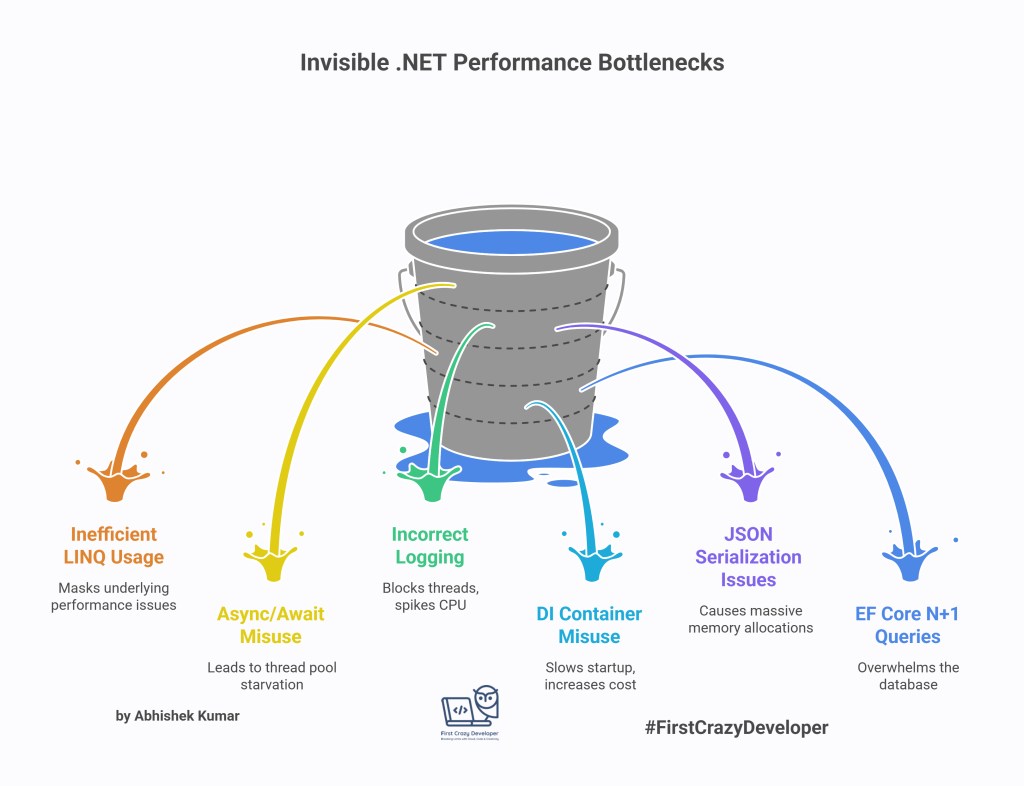
In this post, let’s uncover 6 invisible .NET performance killers and the quick fixes to stop them in their tracks.
1️⃣ LINQ – The Silent Complexity Multiplier
Problem
LINQ makes code readable, but it hides complexity.
- Deferred execution means queries aren’t executed until you iterate.
- Chaining multiple LINQ operators creates intermediate enumerables that eat CPU & memory.
- LINQ-to-Objects over large in-memory datasets explodes processing time.
Example (Inefficient)
// Inefficient: Processing 1M users in memory
var activeUsers = users
    .Where(u => u.IsActive)
    .OrderBy(u => u.LastLogin)
    .Select(u => new { u.Id, u.Email })
    .ToList();
Here, all data is loaded into memory before filtering and sorting — terrible for scale.
Fix
- Push heavy queries to the database (SQL does this better).
- Always use indexes in SQL for filtering & sorting.
- Avoid
LINQ-to-Objectson massive datasets.
Example (Efficient with EF Core)
// Push computation to SQL instead of memory
var activeUsers = await dbContext.Users
    .Where(u => u.IsActive)
    .OrderBy(u => u.LastLogin)
    .Select(u => new { u.Id, u.Email })
    .ToListAsync();
👉 Now SQL handles filtering & sorting, reducing memory usage and improving speed.

2️⃣ Async/Await – The Hidden Thread Blocker
Problem
Async/await is powerful, but misusing it leads to:
- Thread pool starvation when you block with
.Resultor.Wait(). - Excessive context switching slowing down requests.
Example (Bad)
// BAD: Blocking async call
var data = GetUserDataAsync().Result; // Deadlock risk in ASP.NET
Fix
- Never block async code.
- Use
ValueTaskfor high-frequency calls to reduce allocations. - Profile thread pool usage (
dotnet-counters, PerfView).
Example (Good)
// GOOD: Proper async/await usage
var data = await GetUserDataAsync();

// Use ValueTask for high-frequency paths
public async ValueTask<User> GetUserDataAsync()
{
    return await dbContext.Users.FirstAsync();
}
👉 Your threads stay free, and your app scales under load.
3️⃣ Logging – The Hidden Latency Injector
Problem
Logging is vital, but done wrong it kills performance:
- Synchronous logs block threads.
- Verbose logging spikes CPU and disk I/O under load.
Example (Problematic)
// BAD: Blocking file writes
File.WriteAllText("log.txt", $"{DateTime.Now}: User logged in {userId}");
Fix
- Use structured logging with async sinks (e.g., Serilog, Seq).
- Log only business-critical events in production.
- Separate debug vs production logging levels.
Example (Optimized)
// Serilog with async sink
Log.Logger = new LoggerConfiguration()
    .MinimumLevel.Information()
    .WriteTo.Async(a => a.File("logs/app.log"))
    .CreateLogger();

Log.Information("User logged in {@UserId}", userId);
👉 Logging becomes non-blocking, lightweight, and production-friendly.
4️⃣ Dependency Injection – The Startup Slug
Problem
.NET’s DI container is convenient, but misuse leads to:
- Too many scoped services increasing per-request cost.
- Reflection-heavy lifetimes slowing down resolution.
- Slow application startup.
Example (Anti-Pattern)
// Registering everything as Scoped
services.AddScoped<IEmailService, EmailService>();
services.AddScoped<IReportService, ReportService>();
services.AddScoped<IPaymentService, PaymentService>();
Fix
- Use Singleton for stateless services.
- Modularize DI setup.
- Pre-compile container graphs (e.g.,
Scrutor,Lamar).
Example (Better DI Setup)
// Correct lifetimes
services.AddSingleton<IEmailService, EmailService>(); // stateless
services.AddScoped<IReportService, ReportService>();  // per-request
services.AddTransient<INotification, SmsNotification>(); // lightweight
👉 Startup is faster, requests use fewer resources.
5️⃣ JSON Serialization – The Memory Melter
Problem
JSON serialization of large or deep object graphs causes:
- Massive memory allocations.
- High GC (Garbage Collection) pressure.
- Slow APIs under heavy payloads.
Example (Bad)
// Serializing a huge object in memory
var json = JsonSerializer.Serialize(hugeObject);
Fix
- Use streaming serialization with
Utf8JsonWriter. - Paginate large collections before returning.
- Monitor payload sizes in logs/metrics.
Example (Streaming JSON)
await using var stream = new MemoryStream();
await using var writer = new Utf8JsonWriter(stream);

writer.WriteStartArray();
foreach (var item in largeData)
{
    JsonSerializer.Serialize(writer, item);
}
writer.WriteEndArray();
await writer.FlushAsync();

string json = Encoding.UTF8.GetString(stream.ToArray());
👉 Less memory pressure, faster APIs.
6️⃣ Entity Framework – The N+1 Query Nightmare
Problem
EF Core is powerful but misused it can hammer your database:
- Lazy loading causes dozens of small queries (N+1 problem).
- Poor query design floods DB with redundant calls.
Example (Bad)
// BAD: N+1 Queries
var orders = await dbContext.Orders.ToListAsync();
foreach (var order in orders)
{
    var customer = await dbContext.Customers.FindAsync(order.CustomerId);
}
Each order triggers an extra query → hundreds of DB roundtrips.
Fix
- Use
.Include()for eager loading. - Batch load related data.
- Enable EF logs to catch hidden queries.
Example (Optimized)
// GOOD: Eager loading
var orders = await dbContext.Orders
    .Include(o => o.Customer)
    .ToListAsync();
👉 A single optimized query replaces hundreds of hidden ones.
✅ Final Thoughts
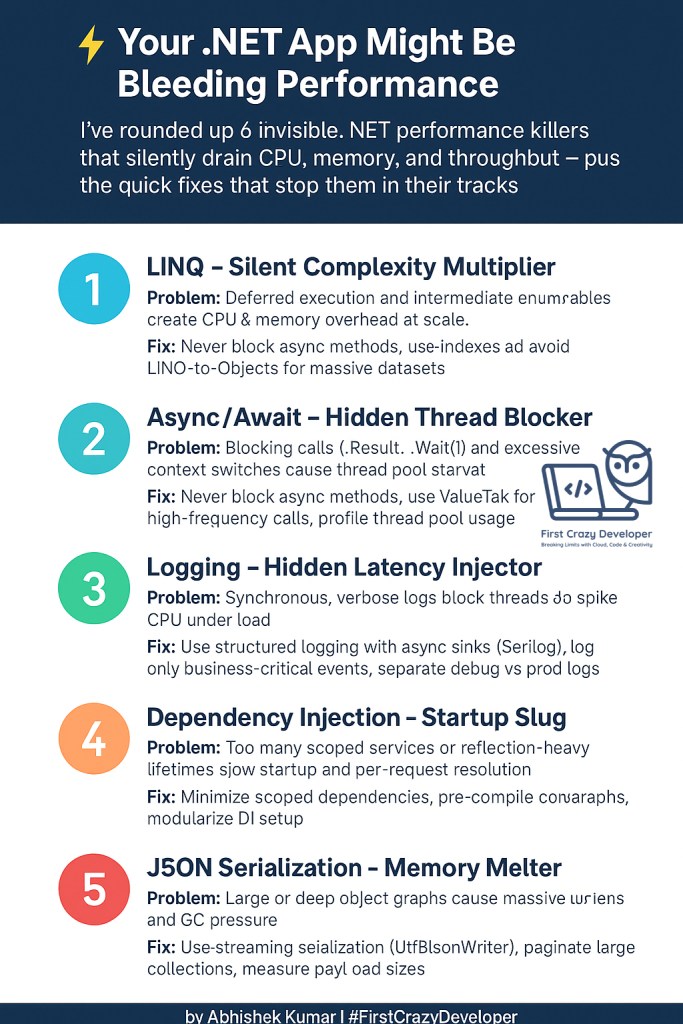
Most .NET apps don’t collapse because of a single bug — they bleed performance slowly through hidden inefficiencies: LINQ misuse, async blocking, logging overhead, DI misuse, JSON bloat, and EF N+1 queries.
The fixes are often simple, but the gains are massive:
- Faster response times 🚀
- Lower cloud costs 💰
- Happier users 😀
💡 Abhishek Take:
Performance is not a one-time optimization; it’s a discipline. The earlier you bake these practices into your design, the less firefighting you’ll need when your app hits production scale.
#DotNet #CSharp #Performance #CloudComputing #EntityFramework #AsyncAwait #SoftwareArchitecture #FirstCrazyDeveloper #AbhishekKumar
 First Crazy Developer
Leave a comment